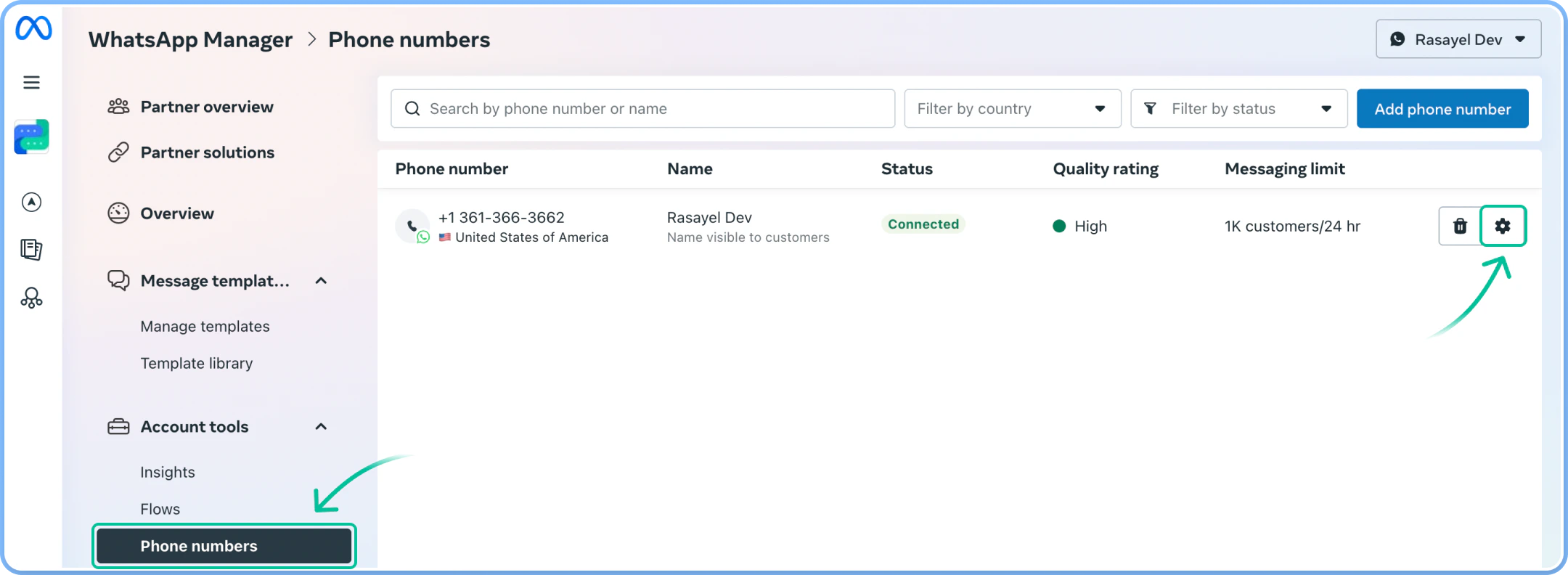
Click on the settings icon next to the phone number you want to update
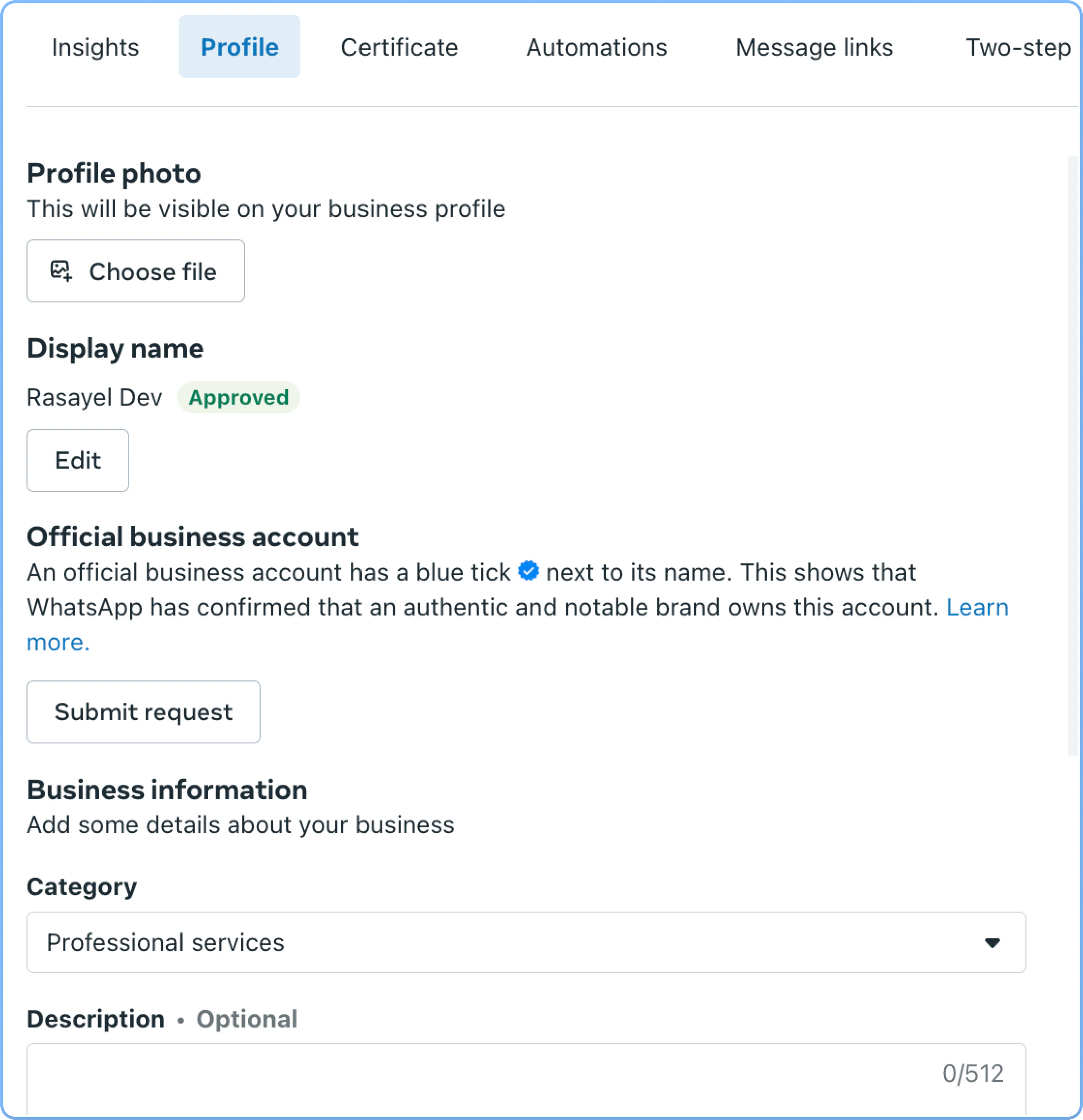
Then, under the Profile section, you can update your photo, Display name, description, and other details.
When choosing a new name, make sure to follow WhatsApp’s Official Name Guidelines.Tip: If you don’t see your number in the list, it may be saved under another WhatsApp Account. Just open drop-down menu at the top right:
Assistant
Responses are generated using AI and may contain mistakes.