> ## Documentation Index
> Fetch the complete documentation index at: https://docs.rasayel.io/llms.txt
> Use this file to discover all available pages before exploring further.
# Views
### Creating a View
1. Go to the **Views** section in the inbox sidebar
2. Click on the `+` button to create a new View
3. Give your View a name (e.g. "Sales Leads")
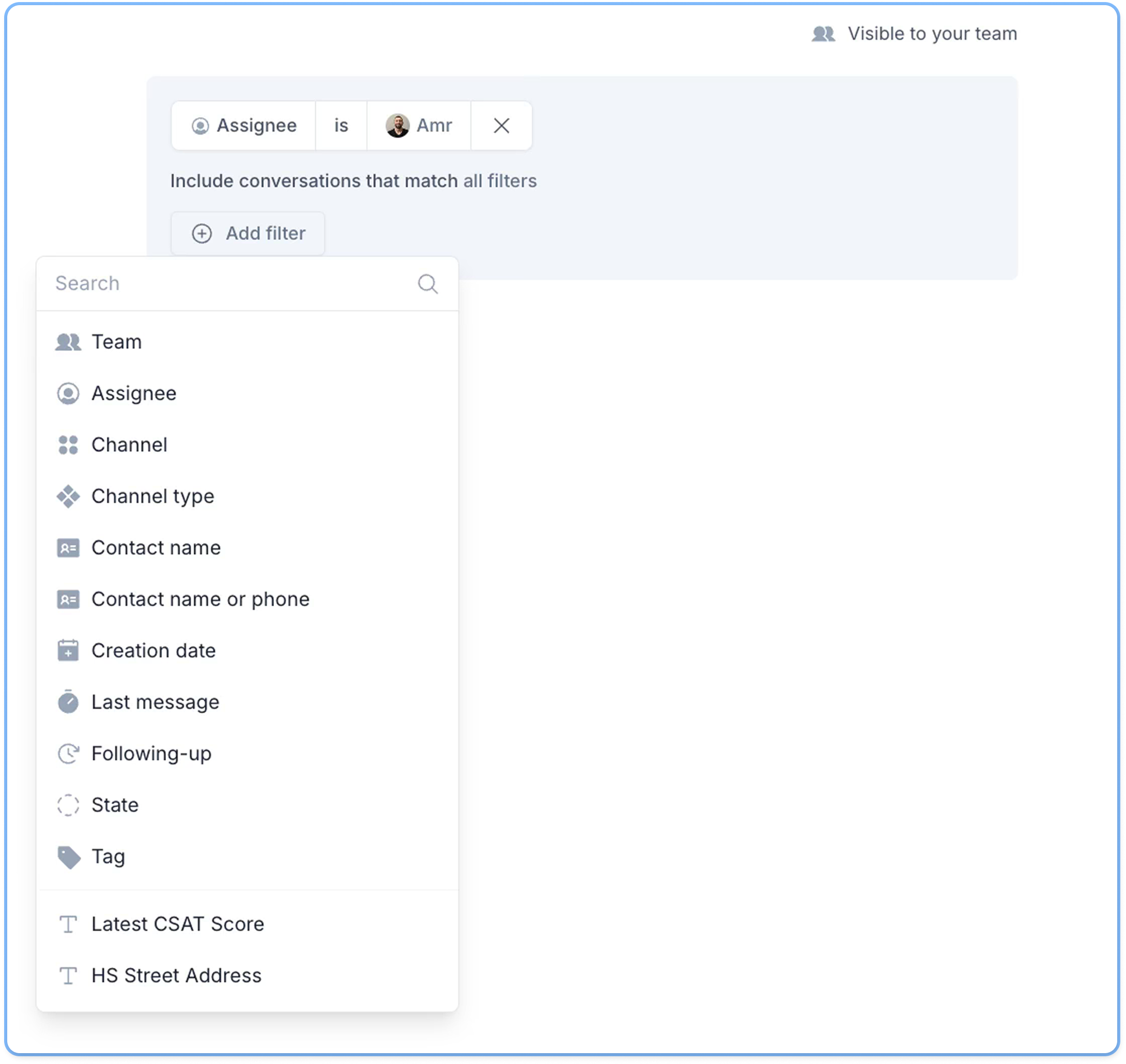
4. Add filters (e.g. Assignee, Channel, Tag, Status, etc.)
5. Click on **Save View**
Your new View appears in the sidebar under **Private** or **Shared**, depending on visibility.
 ### Editing a View
1. Select a view from the sidebar
2. Click on **Edit** at the top
3. Adjust the filters or name
4. Click on **Update View**
### Deleting a View
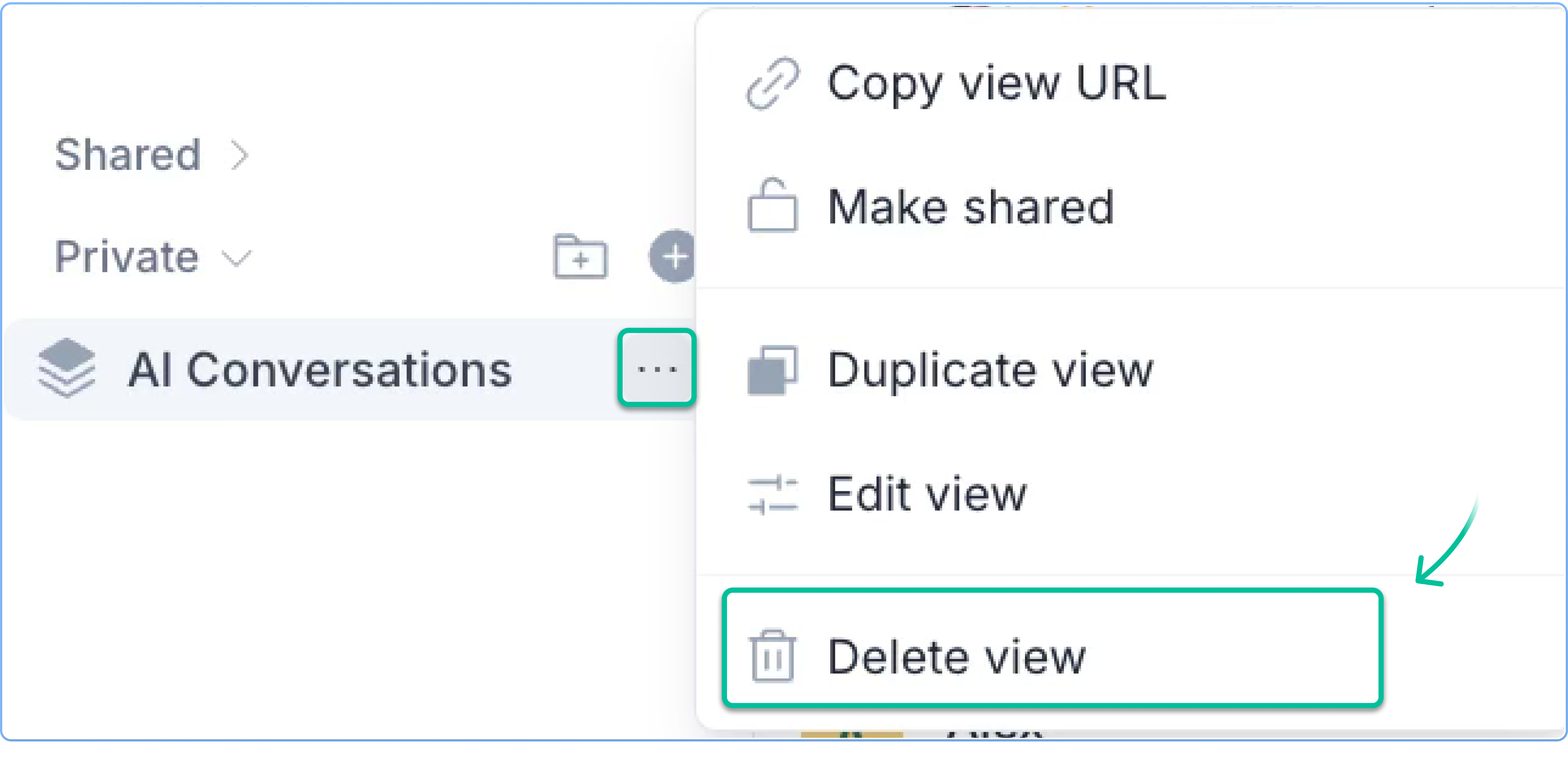
1. Hover over the view in the sidebar
2. Click on the three-dot menu and select **Delete View**
3. Confirm deletion (this action is permanent)
### Editing a View
1. Select a view from the sidebar
2. Click on **Edit** at the top
3. Adjust the filters or name
4. Click on **Update View**
### Deleting a View
1. Hover over the view in the sidebar
2. Click on the three-dot menu and select **Delete View**
3. Confirm deletion (this action is permanent)