> ## Documentation Index
> Fetch the complete documentation index at: https://docs.rasayel.io/llms.txt
> Use this file to discover all available pages before exploring further.
# Folders
Folders let you group Views together. This is helpful for teams with many Views or shared workflows.
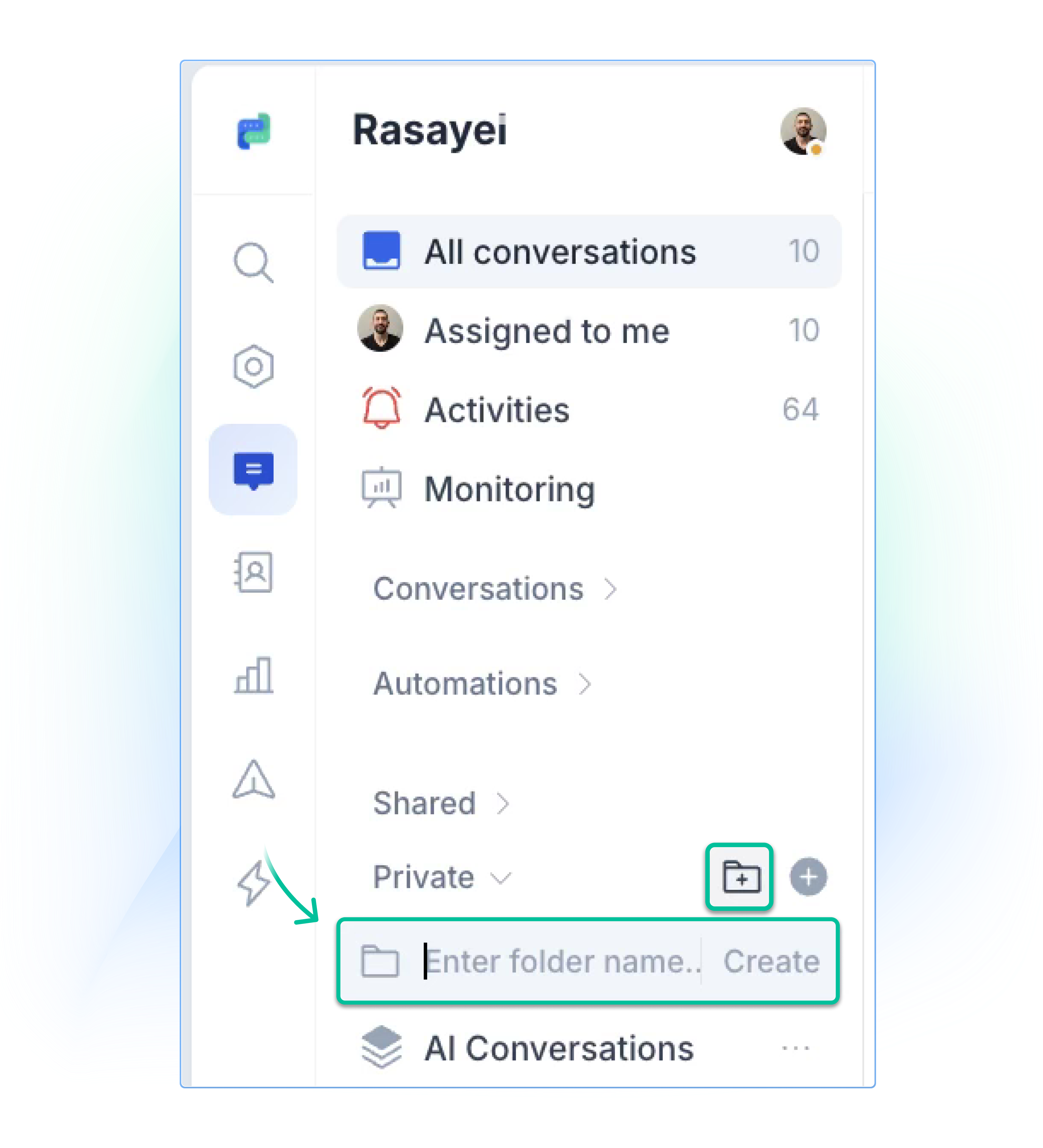
### Creating a Folder
1. Go to the **Private** or **Shared** section in the sidebar
2. Click **+ Folder**
3. Name your folder and click on **Create**
 ### Moving Views into Folders
* Drag a View into a Folder to group them
### Making a Folder shared
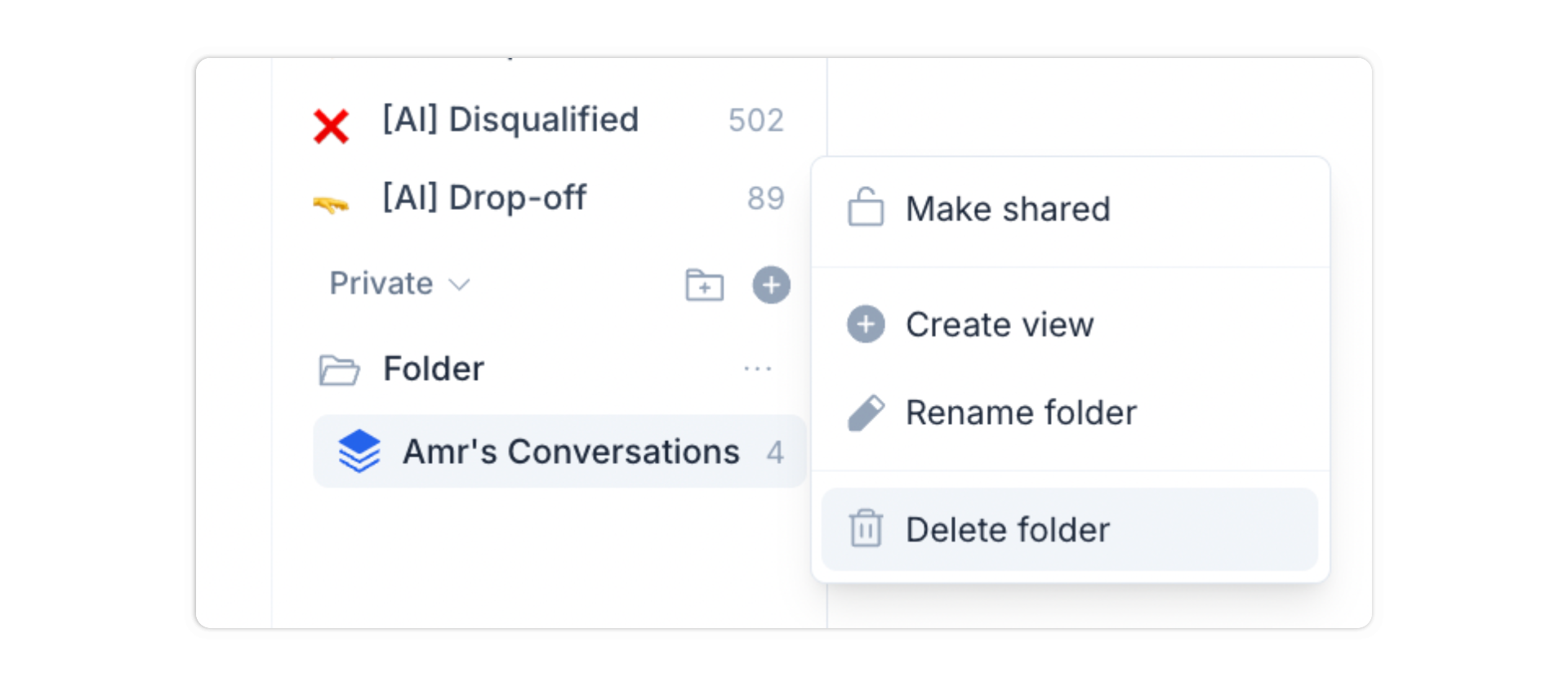
1. Click the three-dot menu on a folder
2. Select **Make shared**
Now, everyone on your team can see the folder and its Views.
### Moving Views into Folders
* Drag a View into a Folder to group them
### Making a Folder shared
1. Click the three-dot menu on a folder
2. Select **Make shared**
Now, everyone on your team can see the folder and its Views.
 ### Folder options
* **Rename folder** – From the three-dot menu
* **Delete folder** – Deletes the folder and all Views inside
***
## Limitations
* Each team member can have up to **25 private Views**
* Maximum of **25 folders** per workspace
* No nesting: Folders cannot contain other folders
## Summary
Views and Folders help you stay organized by surfacing the right conversations at the right time. Whether you're managing leads, tracking support tickets, or focusing on a specific tag, Views make your inbox easier to work with. Folders let you group and manage these Views so your team always knows where to look.
### Folder options
* **Rename folder** – From the three-dot menu
* **Delete folder** – Deletes the folder and all Views inside
***
## Limitations
* Each team member can have up to **25 private Views**
* Maximum of **25 folders** per workspace
* No nesting: Folders cannot contain other folders
## Summary
Views and Folders help you stay organized by surfacing the right conversations at the right time. Whether you're managing leads, tracking support tickets, or focusing on a specific tag, Views make your inbox easier to work with. Folders let you group and manage these Views so your team always knows where to look.