> ## Documentation Index
> Fetch the complete documentation index at: https://docs.rasayel.io/llms.txt
> Use this file to discover all available pages before exploring further.
# Connect a number
### Set up your workspace and connect your number to Rasayel
1. Start by visiting [https://app.rasayel.io/signup](https://app.rasayel.io/signup), enter you name, email address and password. You must use the email address belonging to your organization.
2. Once you've signed up, you will receive a confirmation email.
3. Confirm your account, and [login](https://app.rasayel.io/) to Rasayel.
4. Fill in the form with your information and click on **Get started.**
5. Give your new workspace a name.
6. Click on **Connect my WhatsApp Number** and follow the on-screen instructions.
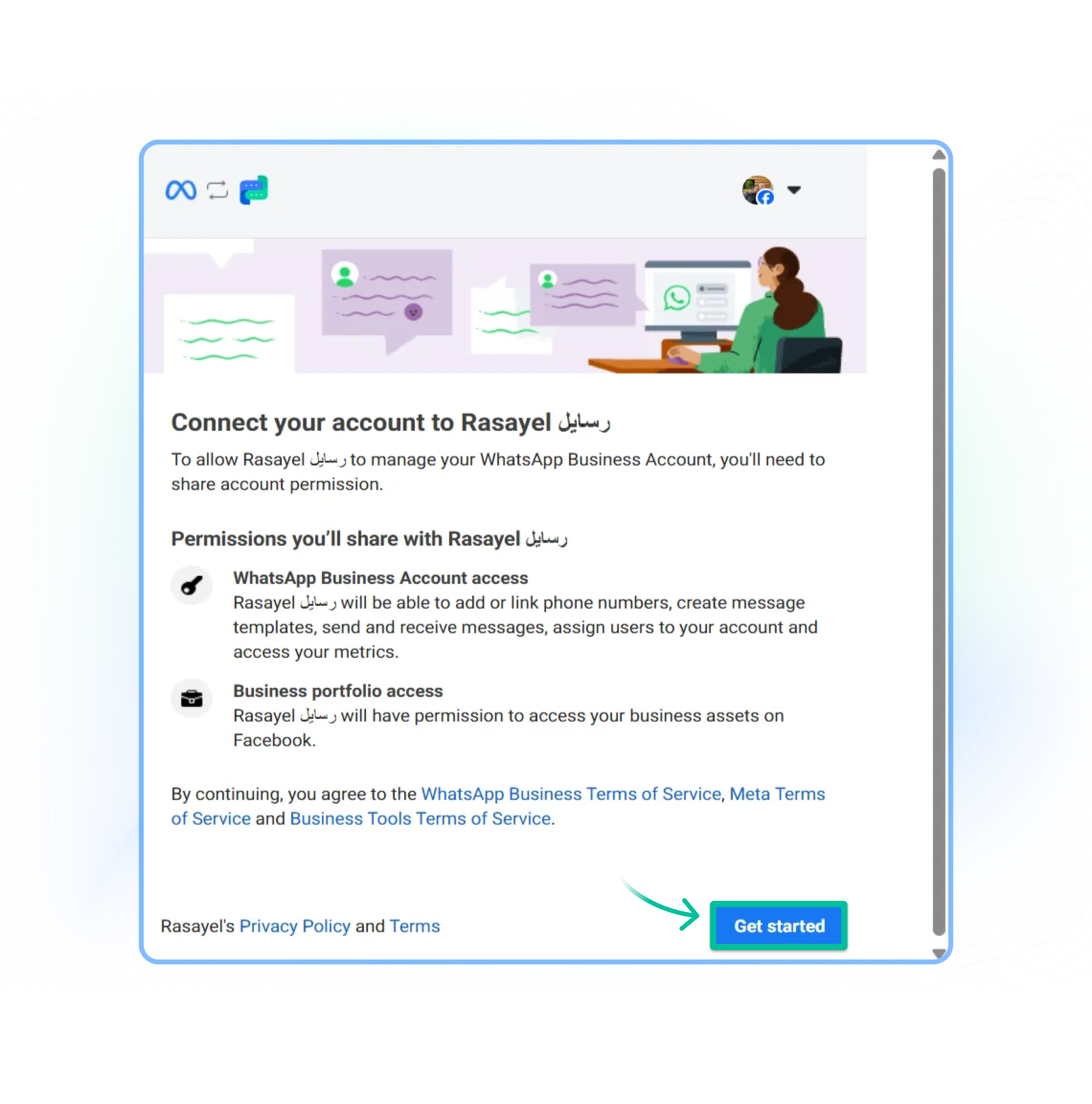
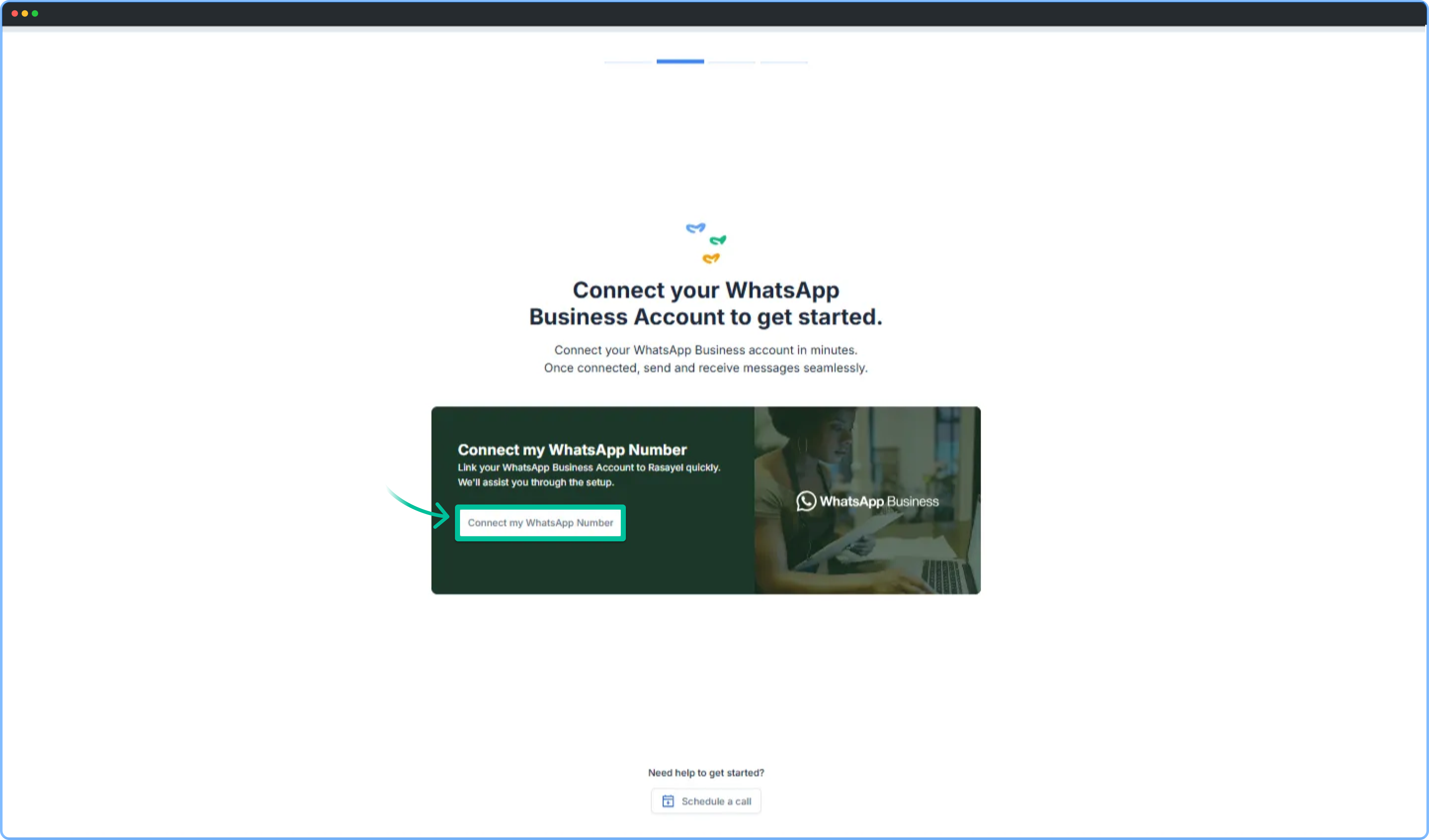 7. You will be redirected to Facebook. Log in with your personal Facebook Account.
8. Click on **Get started.**
7. You will be redirected to Facebook. Log in with your personal Facebook Account.
8. Click on **Get started.**
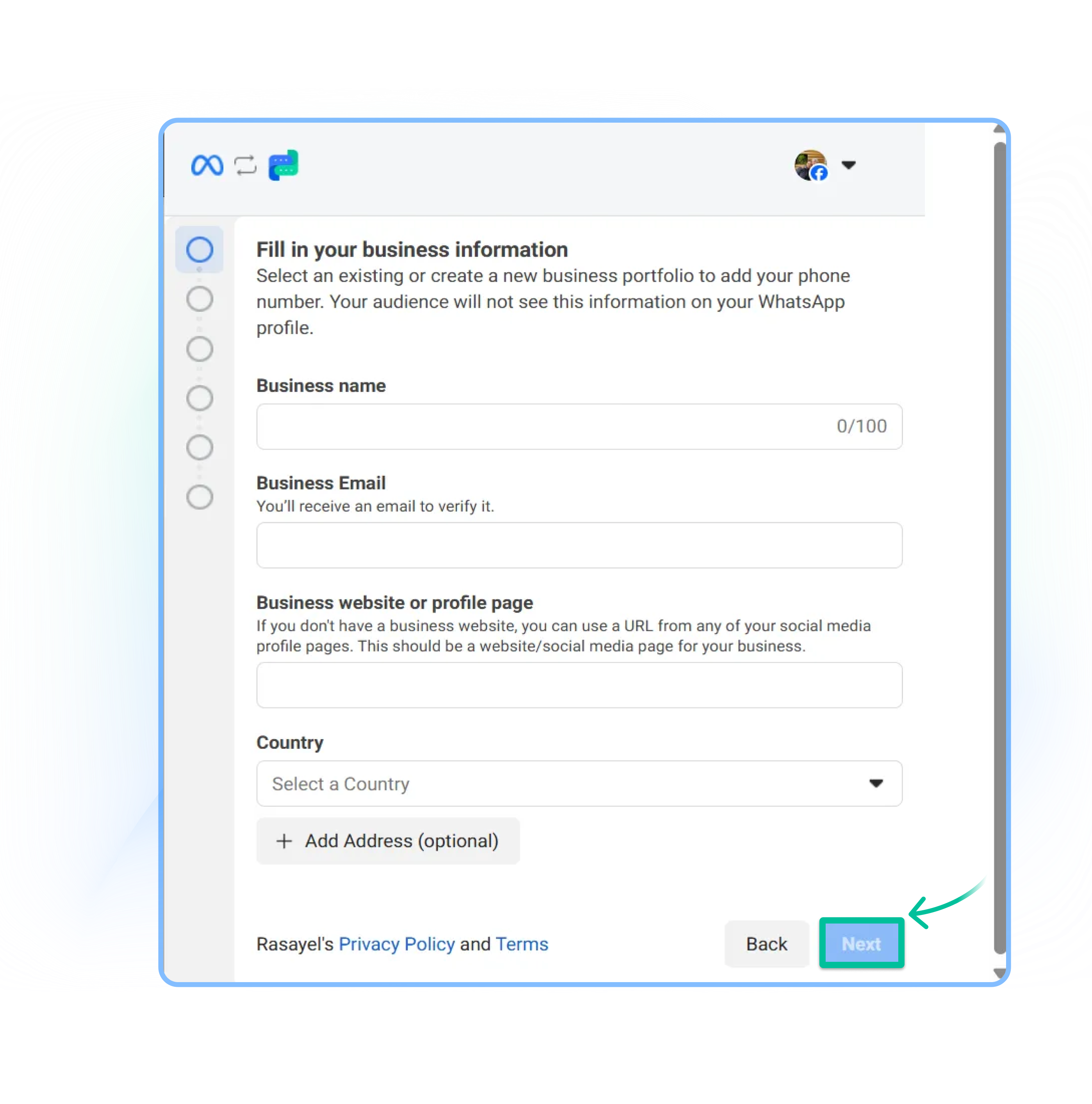
 9. Choose your Meta Business Account. If you don’t have a Meta account, you can create a new one right away—just choose **Create a Meta Business Account** from the drop down menu, fill in your Business Information, and click on **Next.**
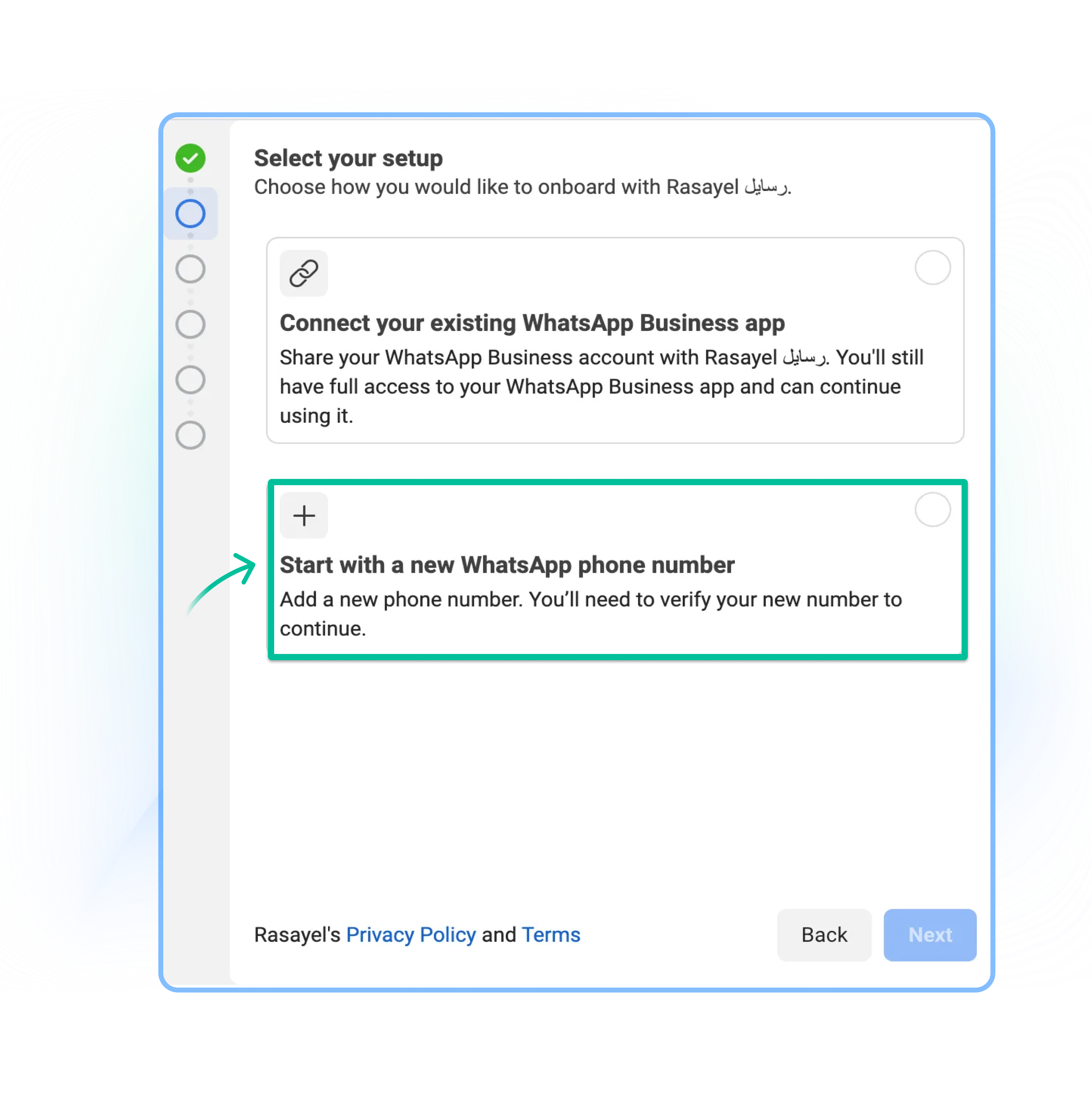
 10. Select **Start with a new WhatsApp phone number**. If you currently use WhatsApp Business app, and wish to share the number between Rasayel and WhatsApp app (co-existence), you can select **connect your existing WhatsApp Business app**. You may read more about it [on our blog](https://learn.rasayel.io/en/blog/whatsapp-coexistence/).
 11. Create a new WhatsApp Business Account.
* Choose **Create a new WhatsApp Business Account** from the drop down menu and fill in your business details.
* *Note: these details will be visible to your customers on WhatsApp.*
11. Create a new WhatsApp Business Account.
* Choose **Create a new WhatsApp Business Account** from the drop down menu and fill in your business details.
* *Note: these details will be visible to your customers on WhatsApp.*
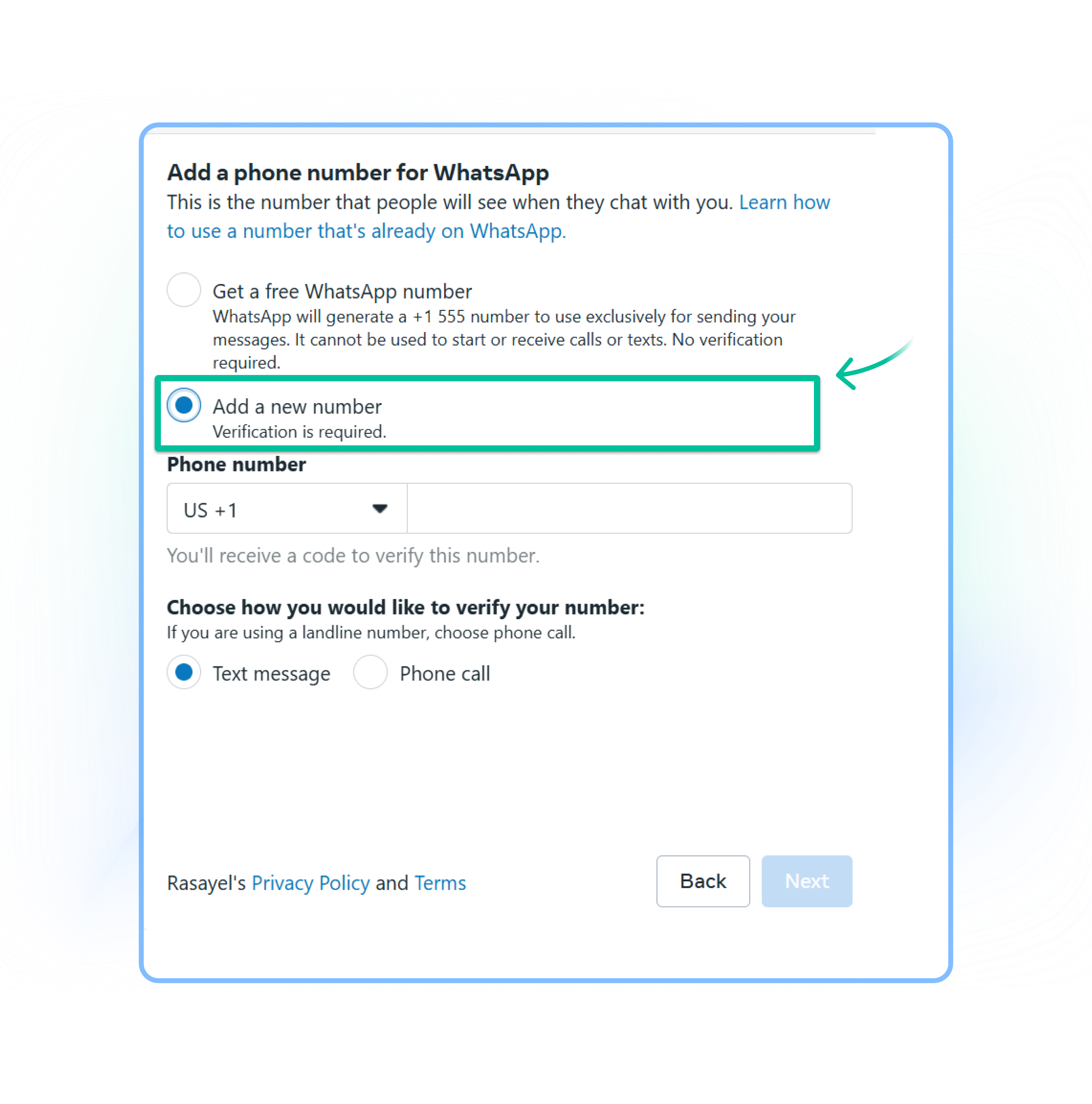
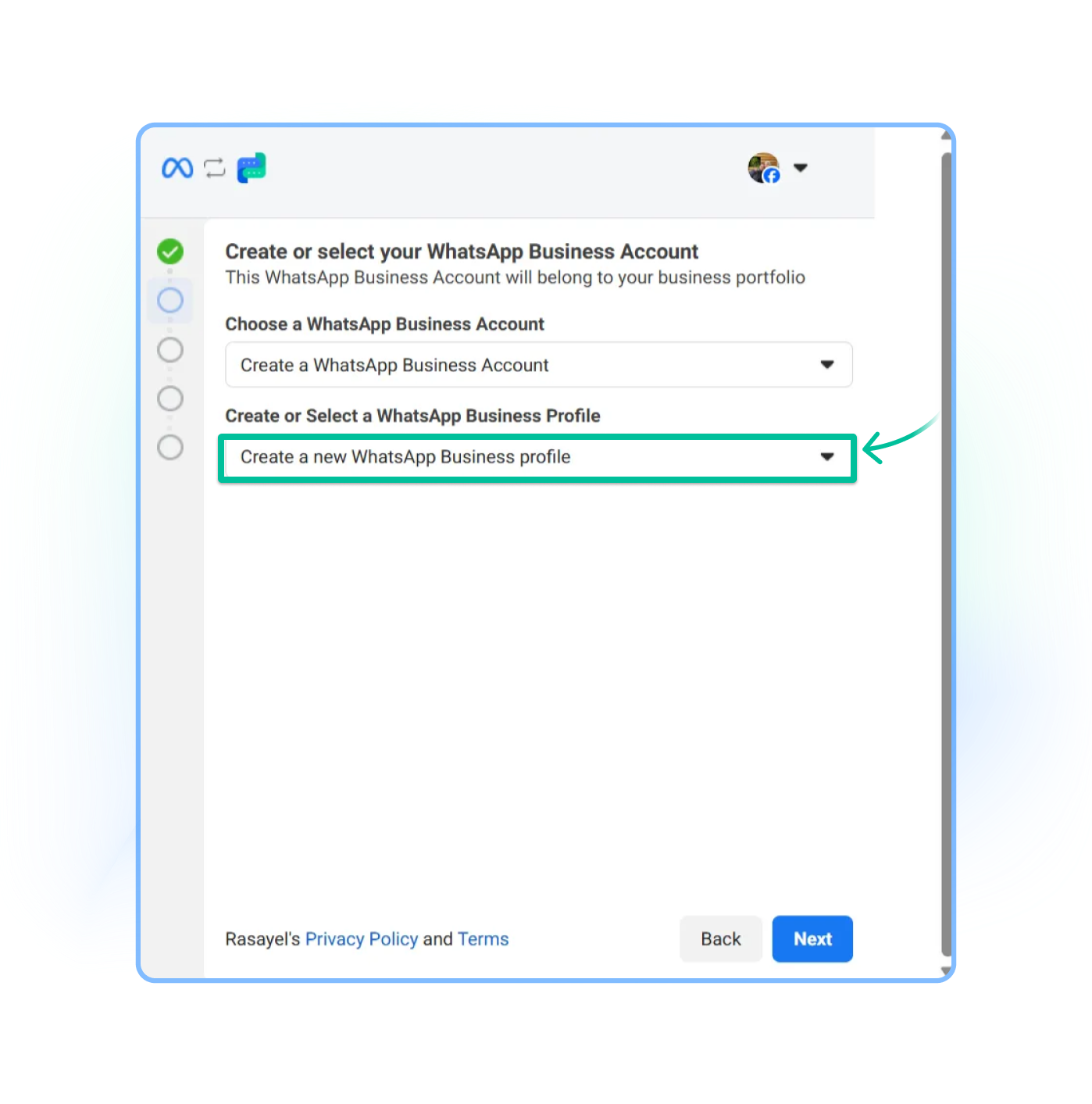 12. Select **Add a new number** to register your number with Rasayel. You may also select **Get a free WhatsApp number** if you wish to proceed with Meta’s free-tier phone number. However, please note that there are some **limitations** to Meta’s free-tier phone numbers. Ex: This number cannot be migrated. Official business account is not supported on free numbers as well and some of the features may not be supported.
 13. Enter the 6-digit code you receive and click on **Next.**
* **Important: Don't forget to add a payment method to your new WhatsApp Business Account.** Please note that you need to set the card as default payment method. It's done from [**Meta Billing Hub**](https://business.facebook.com/billing_hub) -> **Payment methods**, click on 3 dots next to a card and then make this card **a default.**
After completing the Signup, you can immediately:
* Respond to unlimited customer-initiated conversations (24-hour messaging windows).
* Send business-initiated conversations to 250 unique customers in a rolling 24-hour period.
* Register up to two (2) phone numbers (this limit can be scaled up once you verify your number)
### How to add more numbers to Rasayel
1. Go to [Settings > Channels >](https://app.rasayel.io/settings/channels) **Add New Channels > Select WhatsApp.**
2. Follow the steps above, starting from **Step 7.**
13. Enter the 6-digit code you receive and click on **Next.**
* **Important: Don't forget to add a payment method to your new WhatsApp Business Account.** Please note that you need to set the card as default payment method. It's done from [**Meta Billing Hub**](https://business.facebook.com/billing_hub) -> **Payment methods**, click on 3 dots next to a card and then make this card **a default.**
After completing the Signup, you can immediately:
* Respond to unlimited customer-initiated conversations (24-hour messaging windows).
* Send business-initiated conversations to 250 unique customers in a rolling 24-hour period.
* Register up to two (2) phone numbers (this limit can be scaled up once you verify your number)
### How to add more numbers to Rasayel
1. Go to [Settings > Channels >](https://app.rasayel.io/settings/channels) **Add New Channels > Select WhatsApp.**
2. Follow the steps above, starting from **Step 7.**