> ## Documentation Index
> Fetch the complete documentation index at: https://docs.rasayel.io/llms.txt
> Use this file to discover all available pages before exploring further.
# Settings
### How to set up push notifications on Rasayel
You can always change the notification settings through Rasayel dashboard:
1. Go to [Settings > Notifications](https://app.rasayel.io/settings/user/notifications) from the navigation sidebar
2. Click on the **Notify me** button
### How to modify your list of important events
1. Go to [**Notifications**](https://app.rasayel.io/settings/user/notifications)
2. Tick the events you want to be notified about
### How to enable push notifications on your browser
Follow the instructions depending on your browser.
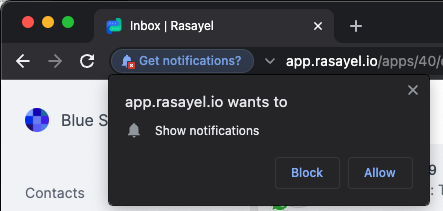
* **Google Chrome**
* Google Chrome will show you a prompt asking to give Rasayel permissions to send you notifications, click on **Allow.**
 * **Safari**
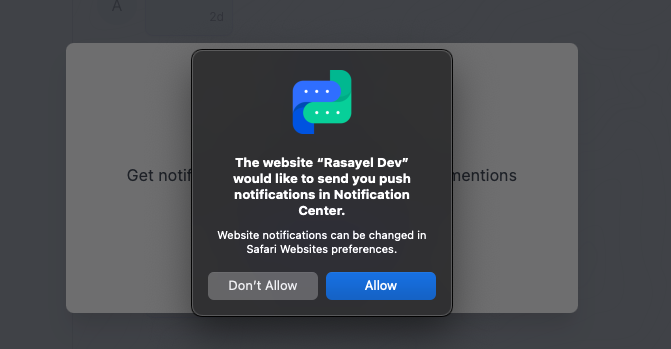
* Safari will show you a prompt asking to give Rasayel permissions to send you notifications, click on **Allow.**
* **Safari**
* Safari will show you a prompt asking to give Rasayel permissions to send you notifications, click on **Allow.**
 * **Firefox**
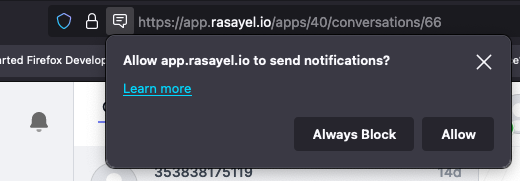
* Firefox will show you a prompt asking to give Rasayel permissions to send you notifications, click on **Allow.**
* **Firefox**
* Firefox will show you a prompt asking to give Rasayel permissions to send you notifications, click on **Allow.**
 ### **On mobile**
Once you sign into the app for the first time, you can turn on notifications right away. Or you can enable them later in your phone settings.
* **iPhone**
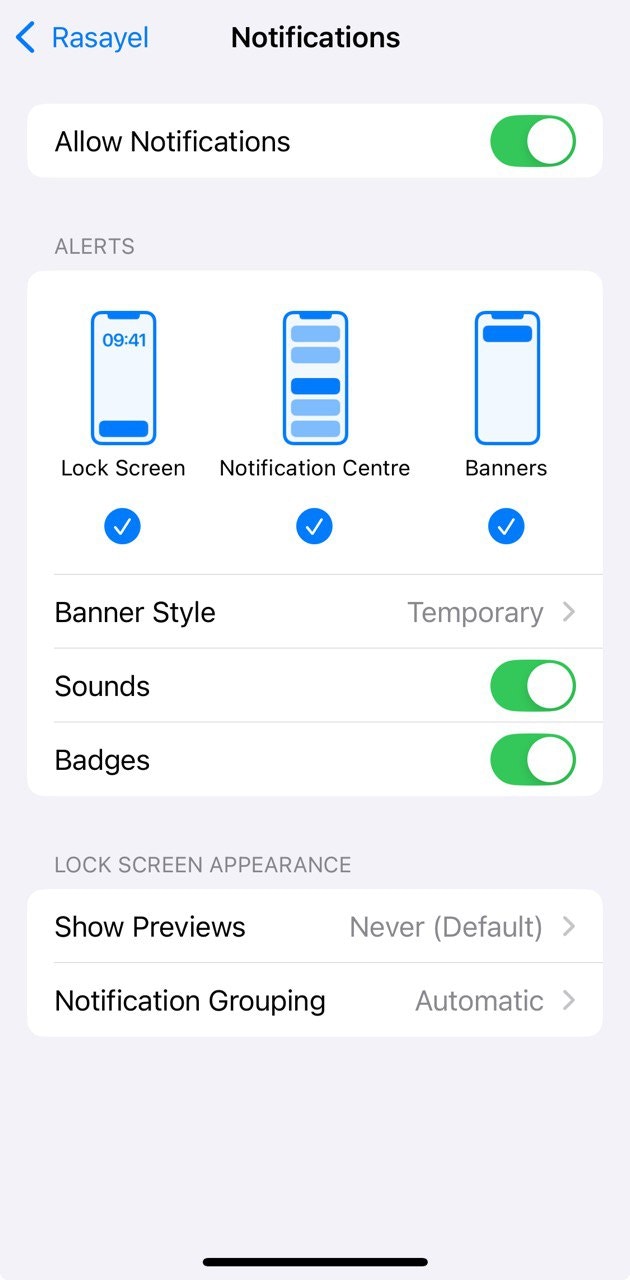
* For iPhone, go to **Settings > Notifications > Rasayel**, and make sure all notifications are enabled.
### **On mobile**
Once you sign into the app for the first time, you can turn on notifications right away. Or you can enable them later in your phone settings.
* **iPhone**
* For iPhone, go to **Settings > Notifications > Rasayel**, and make sure all notifications are enabled.