> ## Documentation Index
> Fetch the complete documentation index at: https://docs.rasayel.io/llms.txt
> Use this file to discover all available pages before exploring further.
# Set up
> Description of your new file.
### 1. Generate your Zapier username and password
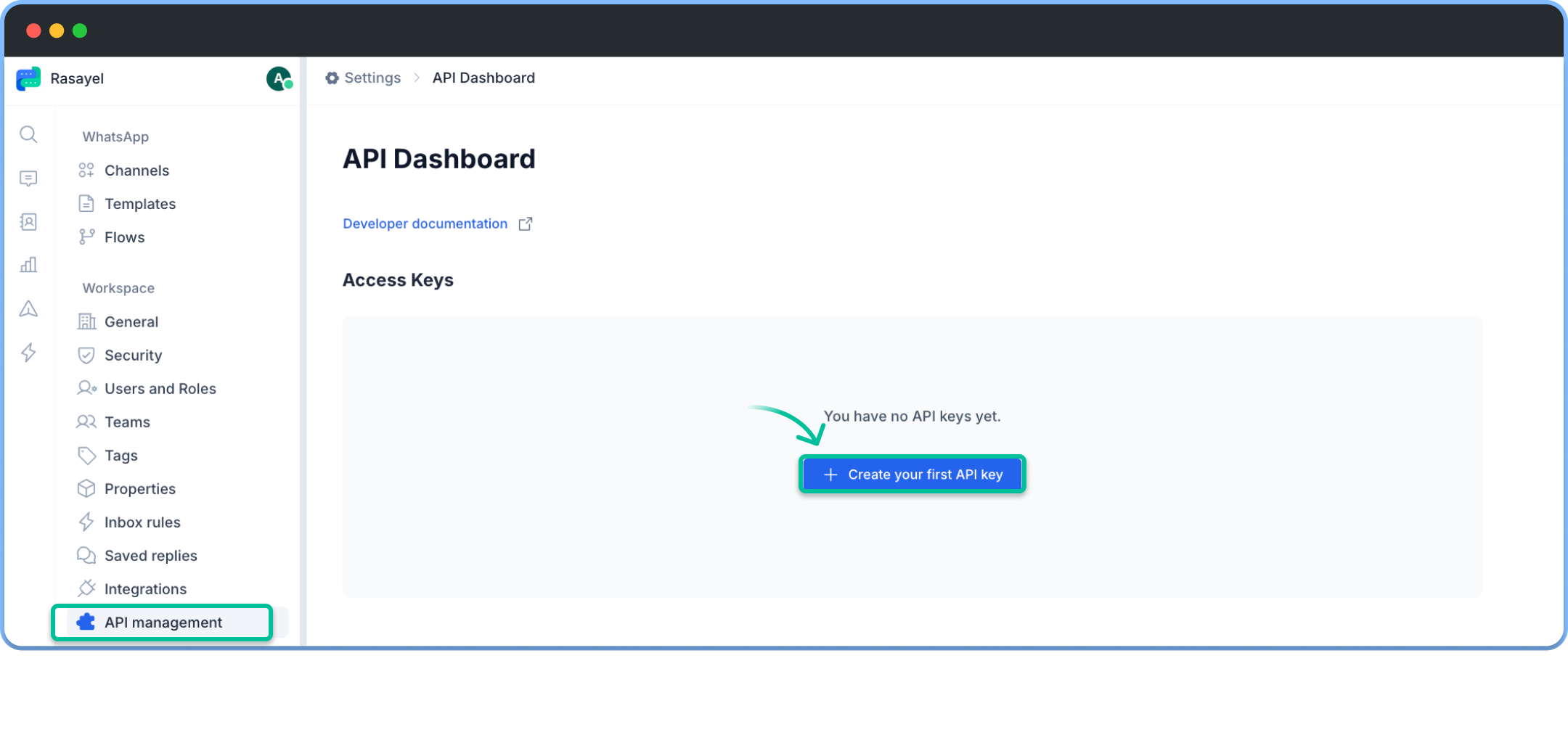
* Navigate to Rasayel’s [API Management](https://app.rasayel.io/settings/api) section
* Click on **Create your first API Key**
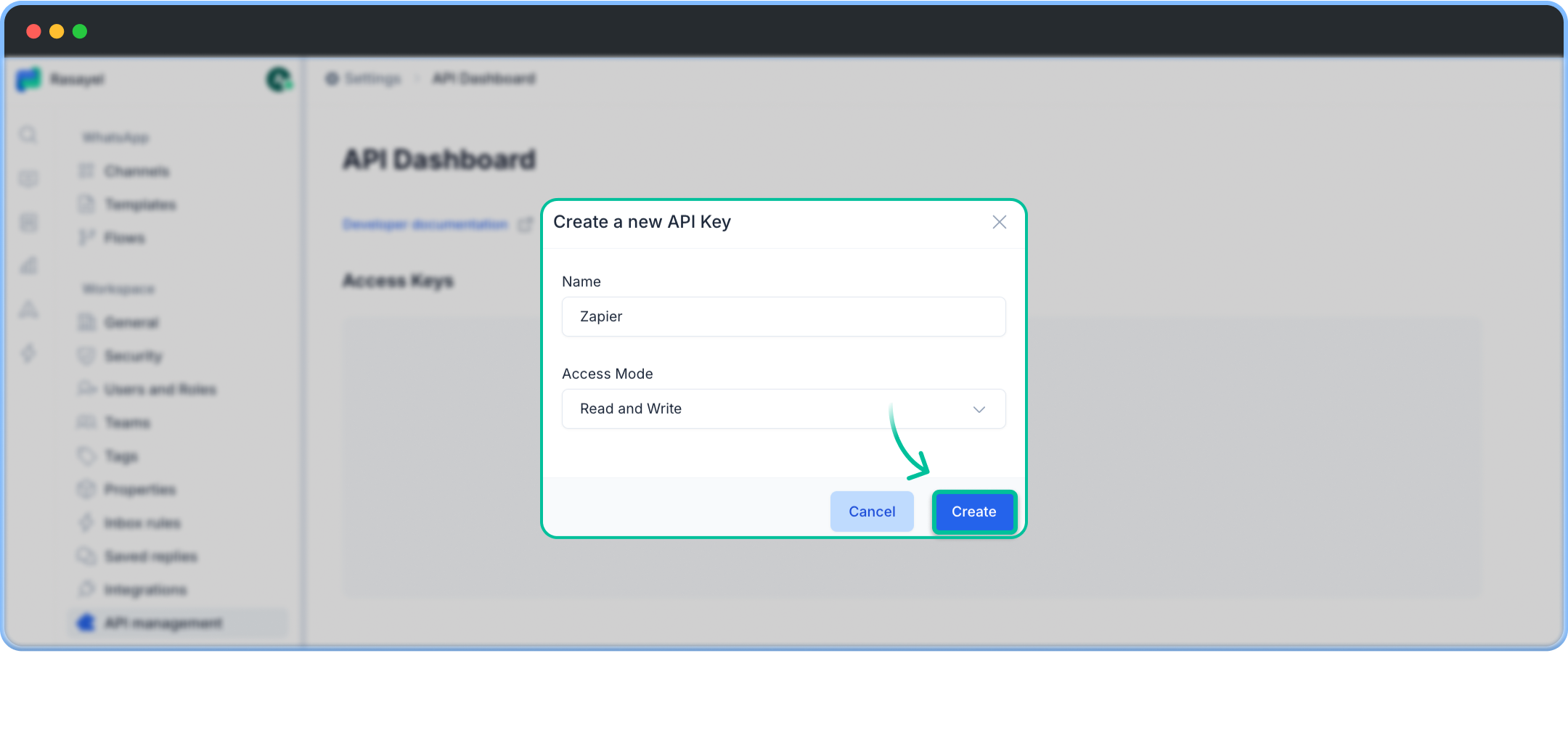
 * Set access mode to **read/write** and press **Create**
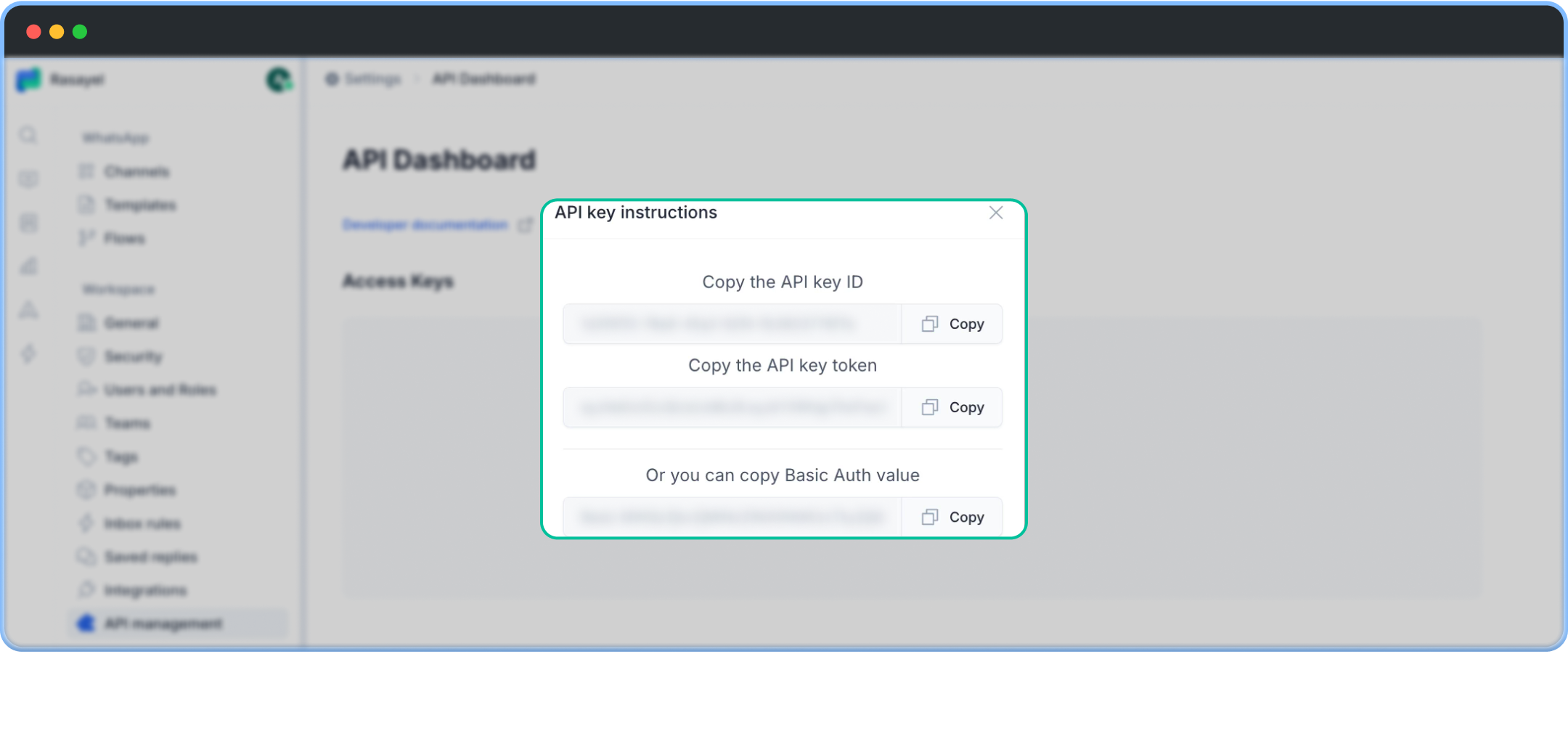
 * After generating the API key, save the following:
* **API Key ID** (used as the **Username**)
* **API Key Token** (used as the **Password**)
* After generating the API key, save the following:
* **API Key ID** (used as the **Username**)
* **API Key Token** (used as the **Password**)
 ### 2. Connect Rasayel to Zapier
* In Zapier, click on your preferred Rasayel action or trigger.
* Search for **Rasayel** to find our native integration node with Zapier.
* In the **right sidebar**, go to **Setup > Account > Connect new account**.
* A pop-up will appear asking for a **Username** and **Password**.
### 2. Connect Rasayel to Zapier
* In Zapier, click on your preferred Rasayel action or trigger.
* Search for **Rasayel** to find our native integration node with Zapier.
* In the **right sidebar**, go to **Setup > Account > Connect new account**.
* A pop-up will appear asking for a **Username** and **Password**.
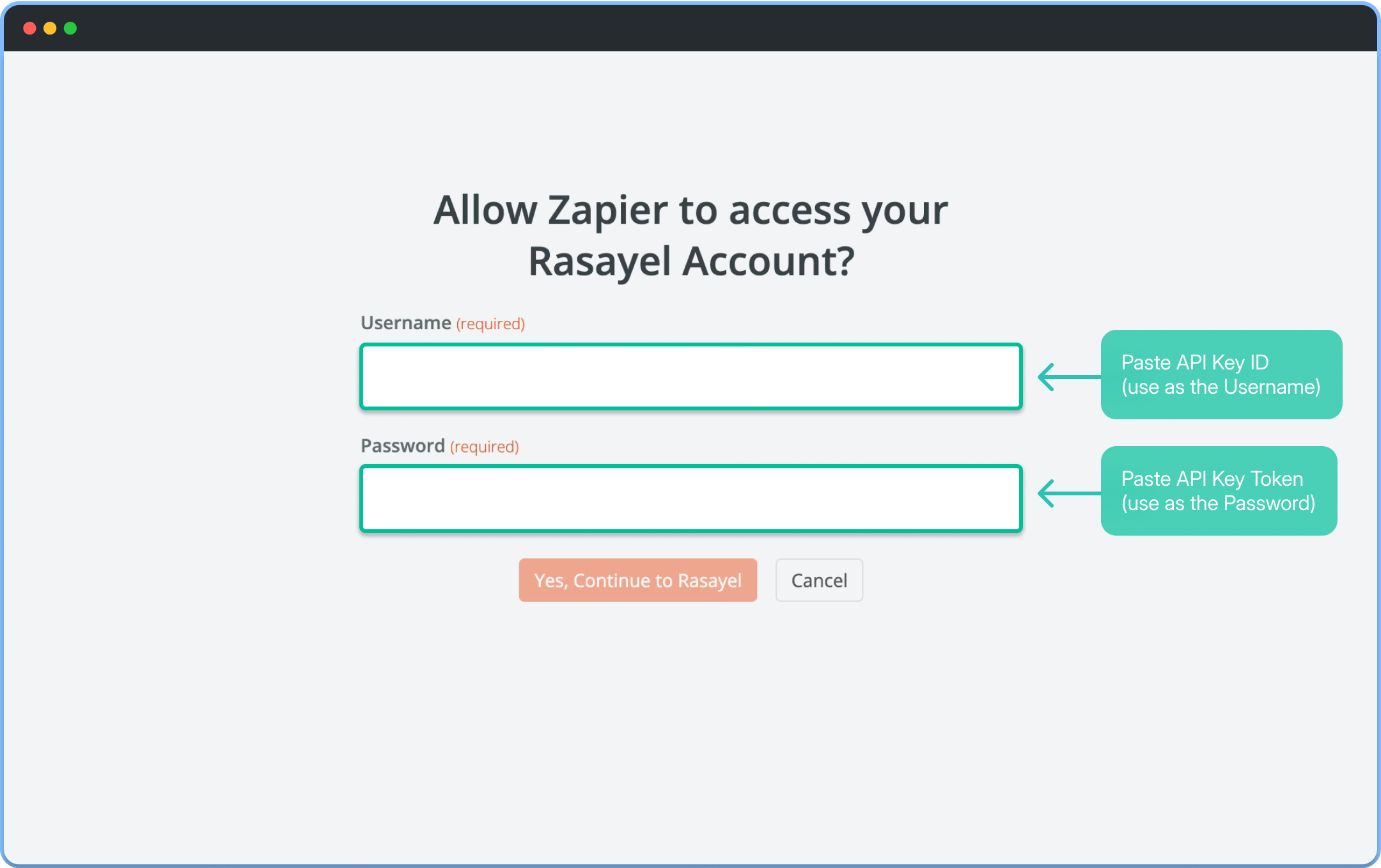 * Enter the **API Key ID** as the Username and the **API Key Token** as the Password.