> ## Documentation Index
> Fetch the complete documentation index at: https://docs.rasayel.io/llms.txt
> Use this file to discover all available pages before exploring further.
# Automations
[Salesforce Flows](https://help.salesforce.com/s/articleView?language=en_US\&id=sf.flow.htm\&type=5) automate your business processes and make your team more efficient. With **Flows**, you can automate certain tasks (actions) based on triggers you define.
Rasayel adds its own definition for a couple of actions to allow you to automatically send WhatsApp templates as part of your Salesforce Flows.
### Supported actions:
* Send a WhatsApp template message
* Send a proactive WhatsApp bot flow
### Start using WhatsApp template messages in Salesforce Flows
To start using the WhatsApp messages in your flows, head to your “Flows” page and:
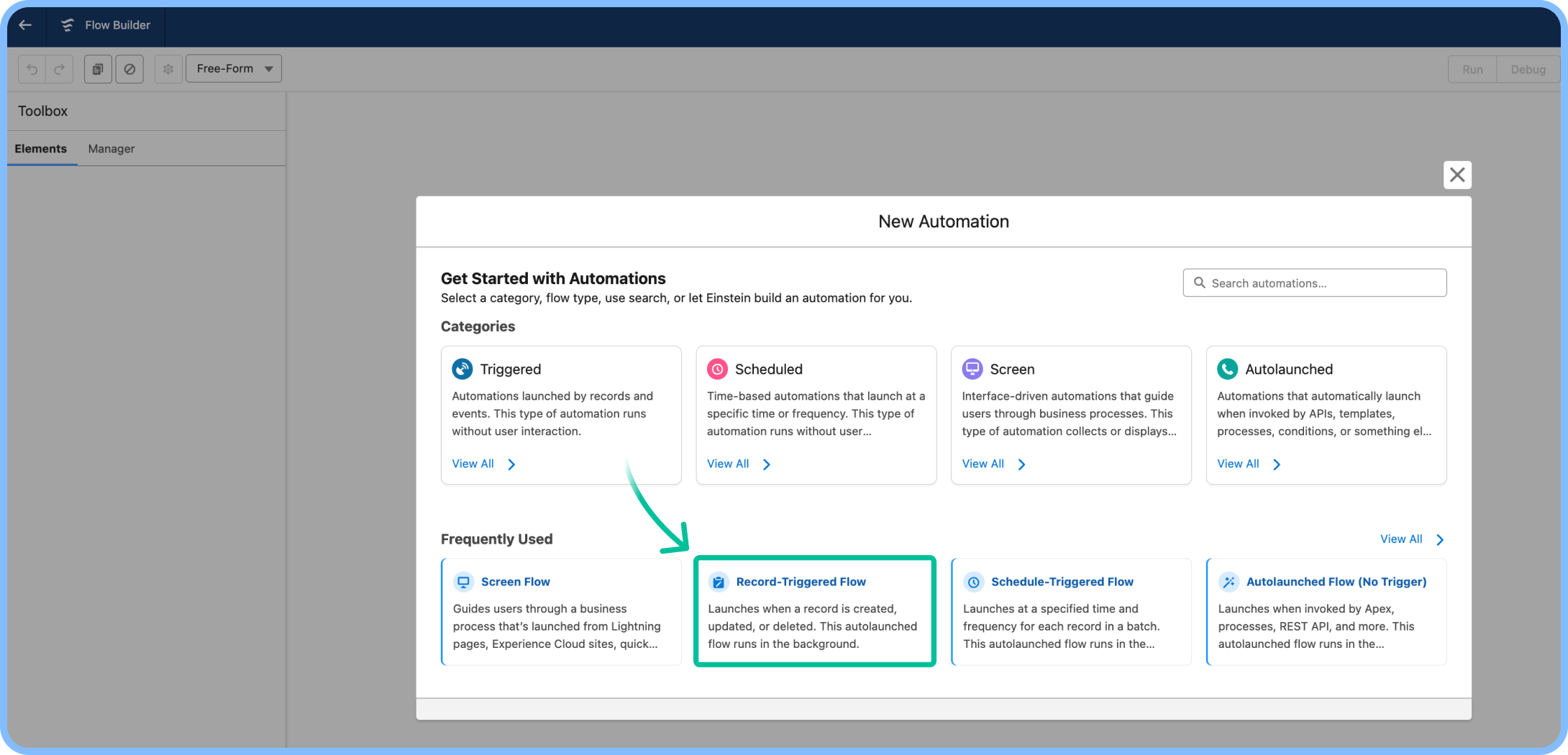
1. Go to **New Flow** > choose **Record-Triggered Flow** > click **Create**.
 2. Select a supported object (e.g. **Lead**).
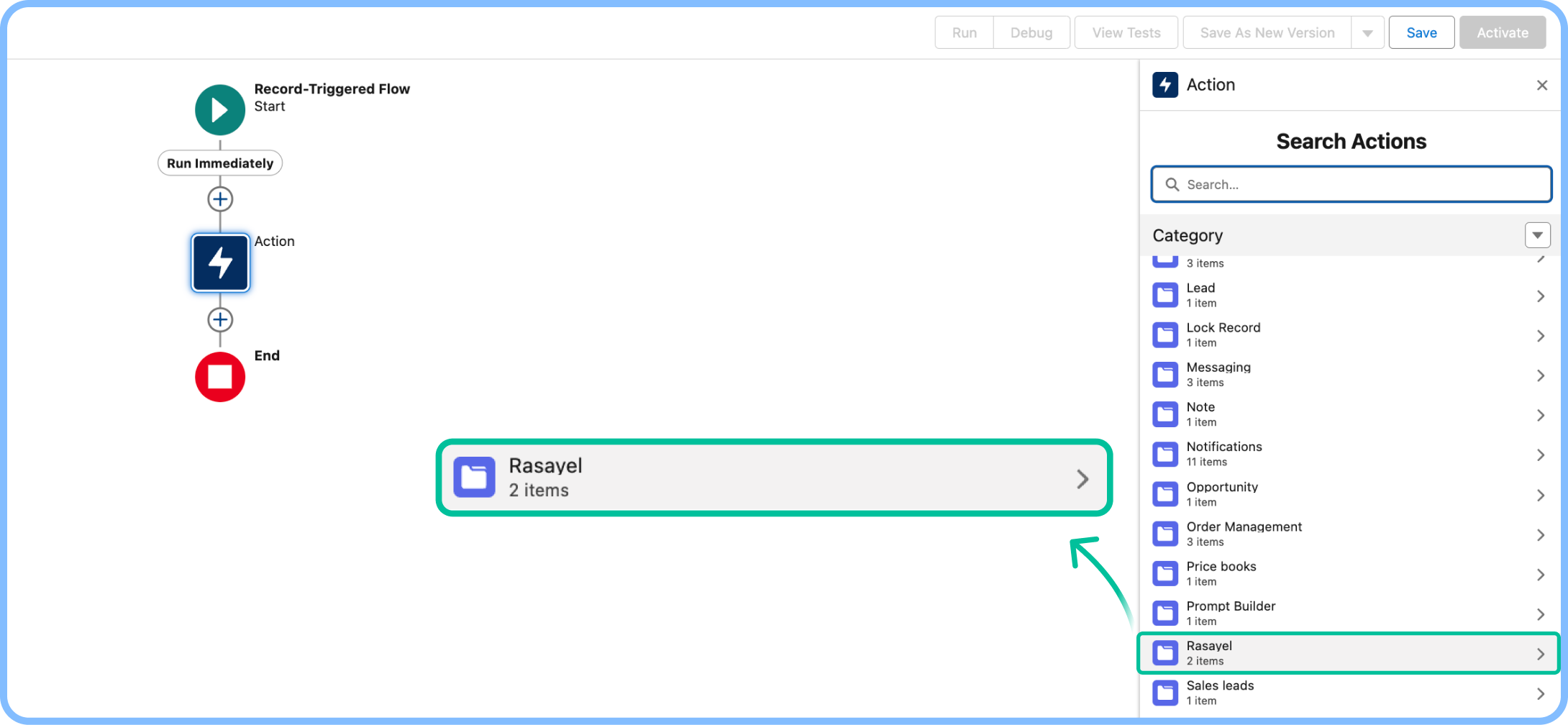
3. Click the **+** to add an element > choose **Action**.
4. From the **Rasayel** category, select **Send a WhatsApp Template**.
2. Select a supported object (e.g. **Lead**).
3. Click the **+** to add an element > choose **Action**.
4. From the **Rasayel** category, select **Send a WhatsApp Template**.
 5. Add a label and fill in the required parameters:
* **Channel**: Enter the exact name of your Rasayel channel ([find it here](https://app.rasayel.io/settings/channels)).
* **Phone number**: Use the recipient’s number or map it from the object (e.g. Lead phone).
* **Template**: Enter the name of your WhatsApp template ([find it here](https://app.rasayel.io/settings/templates)).
6. Click **Save**, label your flow, and you're done.
This way, whenever an object is created/updated/deleted, the action will execute properly and send a WhatsApp template.
There are many possibilities you can build using Rasayel’s Salesforce Flow Actions, we have only shown you one possibility as an example.
5. Add a label and fill in the required parameters:
* **Channel**: Enter the exact name of your Rasayel channel ([find it here](https://app.rasayel.io/settings/channels)).
* **Phone number**: Use the recipient’s number or map it from the object (e.g. Lead phone).
* **Template**: Enter the name of your WhatsApp template ([find it here](https://app.rasayel.io/settings/templates)).
6. Click **Save**, label your flow, and you're done.
This way, whenever an object is created/updated/deleted, the action will execute properly and send a WhatsApp template.
There are many possibilities you can build using Rasayel’s Salesforce Flow Actions, we have only shown you one possibility as an example.