> ## Documentation Index
> Fetch the complete documentation index at: https://docs.rasayel.io/llms.txt
> Use this file to discover all available pages before exploring further.
# Activity logging
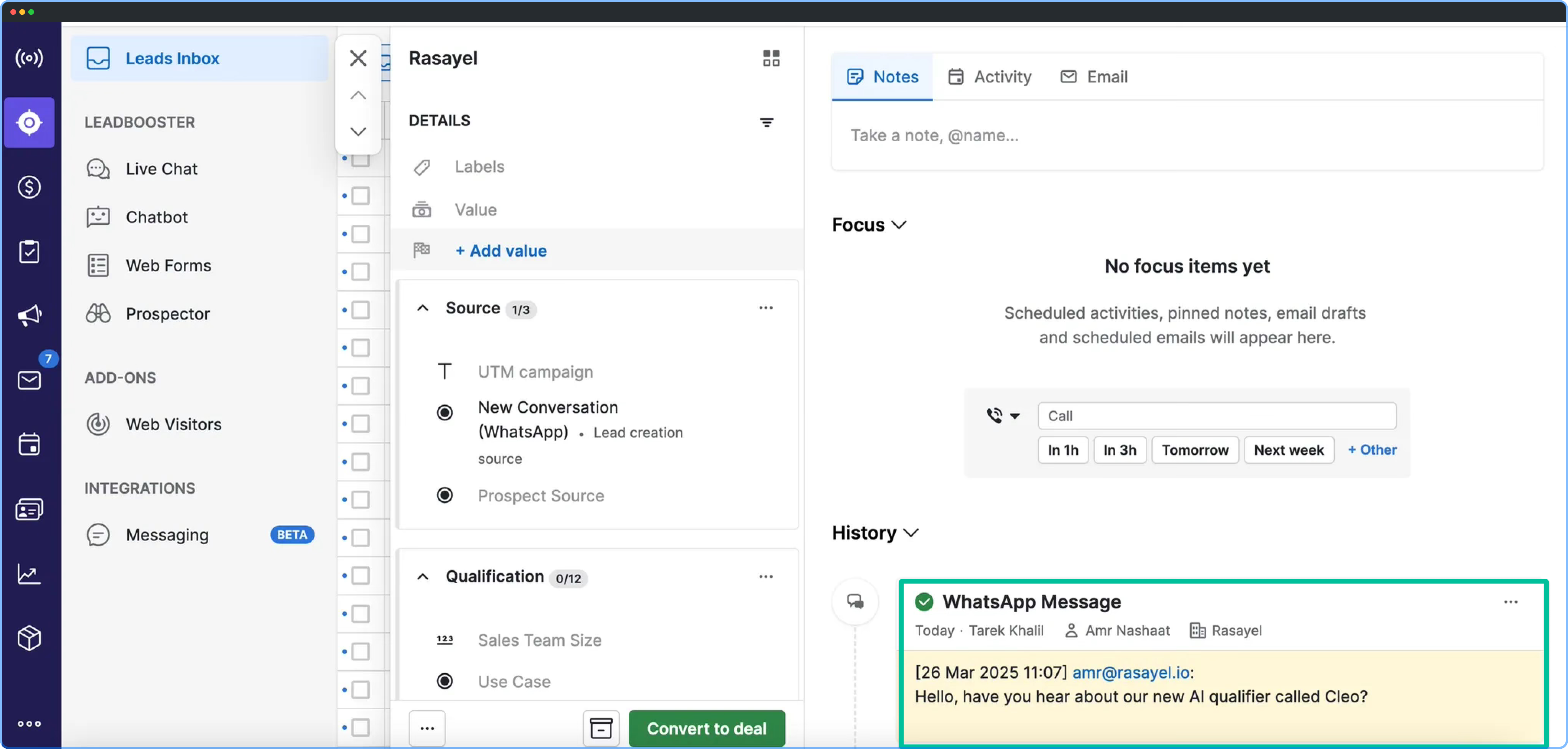
WhatsApp messages sent from Rasayel are logged as **Activities** on the matched Person.
The first message creates a new Activity. Messages within 24 hours are added to the same Activity. Messages sent after 24 hours start a new one.
 ## Building reports on WhatsApp activity
You can build different reports based on logged activity from Rasayel to Pipedrive. You can see how many messages were sent or received and gain insight into who sent them, when they were sent, and what type of messages were used.
### Creating a WhatsApp activity report
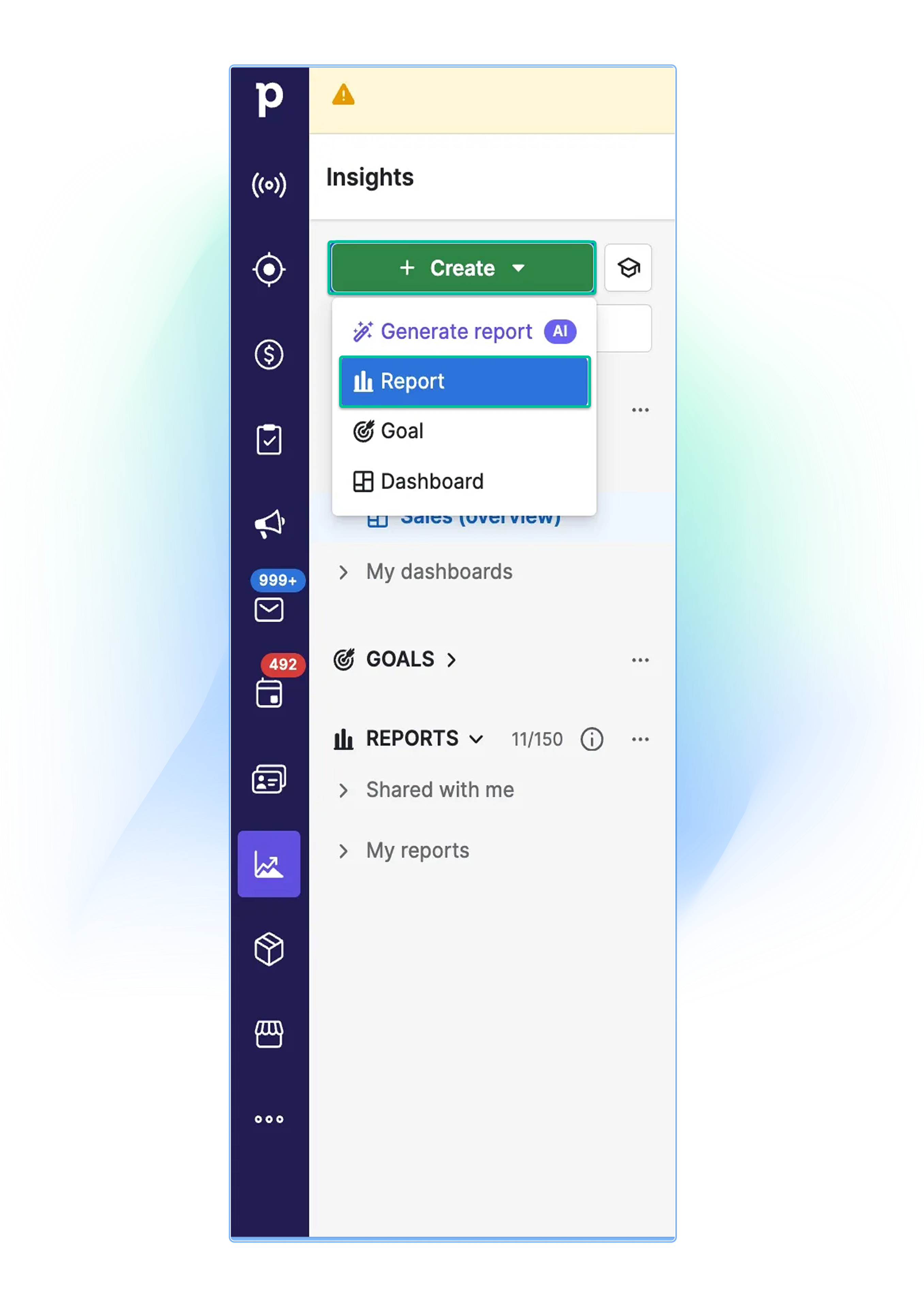
1. Go to the **Insights** section in Pipedrive.
2. Click **Create**.
3. Select **Reports**.
## Building reports on WhatsApp activity
You can build different reports based on logged activity from Rasayel to Pipedrive. You can see how many messages were sent or received and gain insight into who sent them, when they were sent, and what type of messages were used.
### Creating a WhatsApp activity report
1. Go to the **Insights** section in Pipedrive.
2. Click **Create**.
3. Select **Reports**.
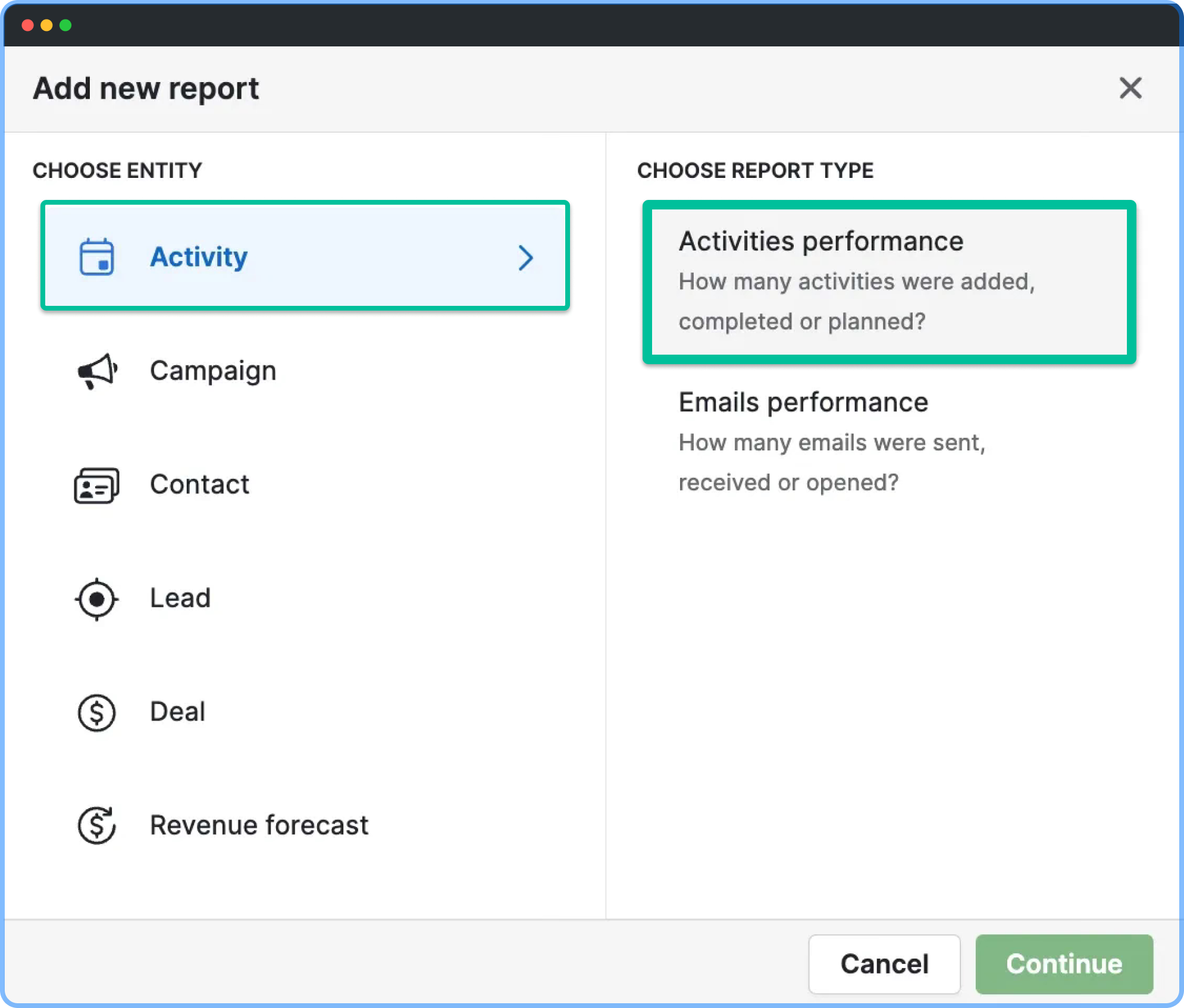
 4. Choose the **Activity** entity and set the report type to **Activities performance**.
5. Click **Add new condition**.
4. Choose the **Activity** entity and set the report type to **Activities performance**.
5. Click **Add new condition**.
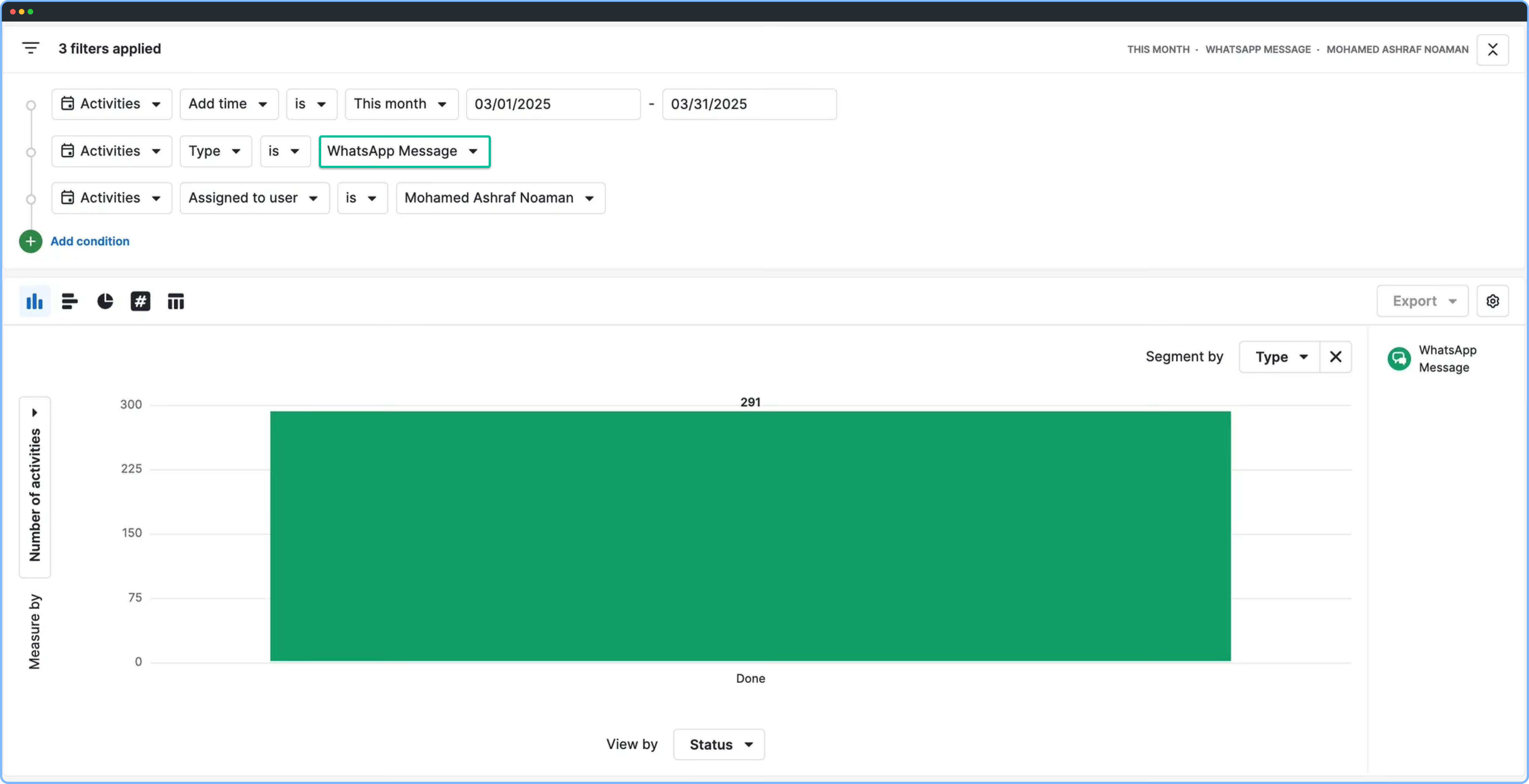
 6. Set the **Activity Type** to **WhatsApp Messages/Conversations**.
 ### Use cases for activity logging
* **Track engagement –** Monitor how often customers interact.
* **Evaluate team performance –** Understand who’s engaging more.
* **Improve messaging –** Identify which messages work best.
### Use cases for activity logging
* **Track engagement –** Monitor how often customers interact.
* **Evaluate team performance –** Understand who’s engaging more.
* **Improve messaging –** Identify which messages work best.