> ## Documentation Index
> Fetch the complete documentation index at: https://docs.rasayel.io/llms.txt
> Use this file to discover all available pages before exploring further.
# Send a WhatsApp message from HubSpot
You can send WhatsApp messages directly from HubSpot using Rasayel’s WhatsApp-HubSpot integration.
You can send WhatsApp messages from a HubSpot contact page or a HubSpot deal page.
## Start a new WhatsApp conversation
On HubSpot, go to the contact (or deal) page you’d like to send a message to.
On the right side, you see all of the WhatsApp conversations associated with the contact (or deal).
If WhatsApp’s 24-hour customer service window has expired or if you want to start a new WhatsApp conversation, you can only send a WhatsApp message template or a bot flow that you’ve created in advance.
1. Go to the contact (or deal) page.
2. Scroll down on the right sidebar.
3. Click **Send message**.
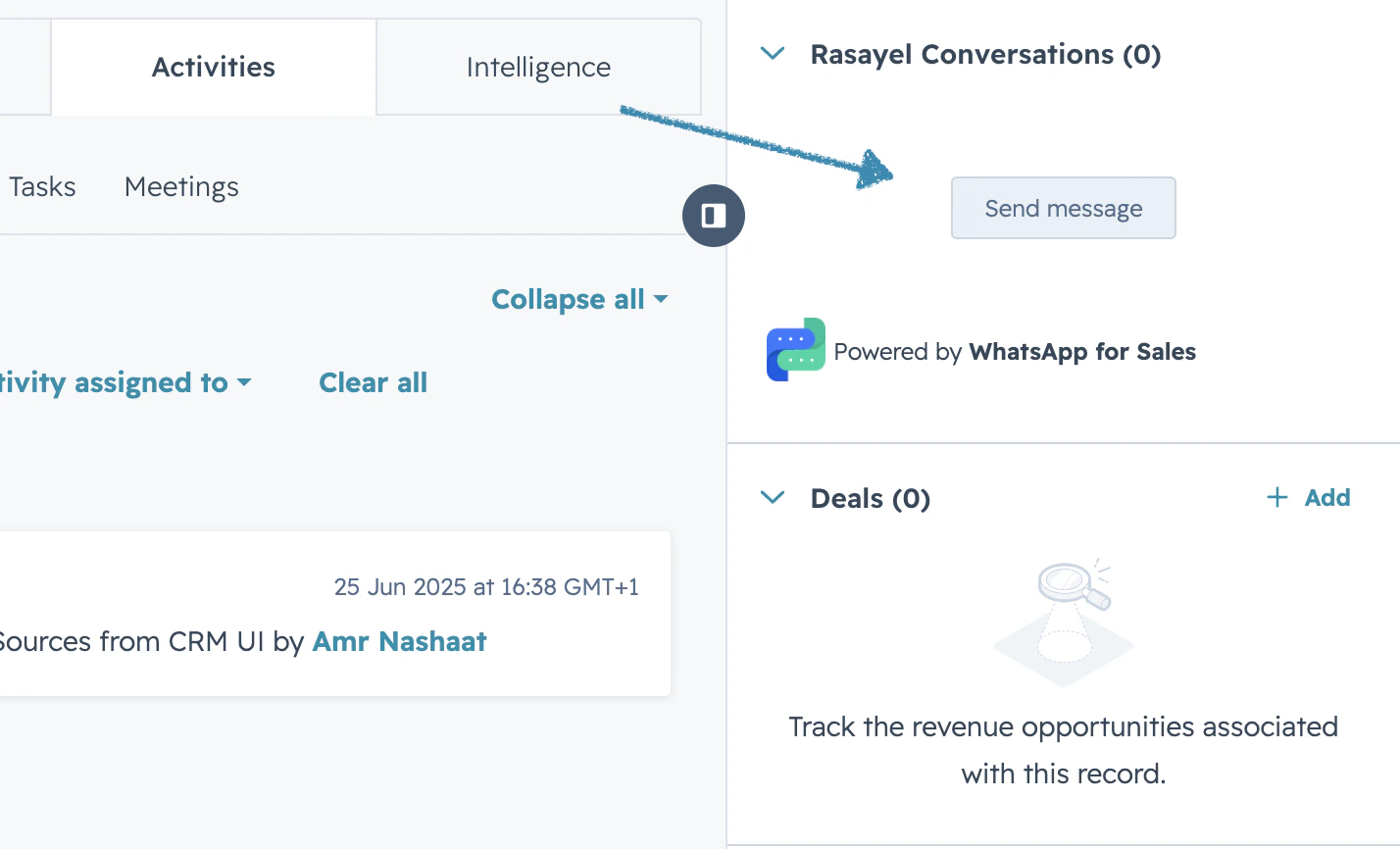 4. Select the WhatsApp channel (number) you want to send a message from.
5. Select the desired message template or bot flow.
6. If the template has variables, fill in the variables and click **Send message**
Once the contact responds, the conversation will open. From there, you can continue to communicate with the customer with free-form messages (without templates). To send a message,
1. Type your message in the composer.
2. Click **Send**. The message is sent.
## Continue an existing WhatsApp conversation
If you already have a conversation with a customer that you’d like to continue, follow these steps:
1. Go to the contact (or deal) page you’d like to send a message to.
2. On the right side, find the conversation you want to continue.
3. Click **Actions → Open conversation**.
4. Type any message or record a voice note or choose a file by clicking on the + sign.
5. Click **Send**.
4. Select the WhatsApp channel (number) you want to send a message from.
5. Select the desired message template or bot flow.
6. If the template has variables, fill in the variables and click **Send message**
Once the contact responds, the conversation will open. From there, you can continue to communicate with the customer with free-form messages (without templates). To send a message,
1. Type your message in the composer.
2. Click **Send**. The message is sent.
## Continue an existing WhatsApp conversation
If you already have a conversation with a customer that you’d like to continue, follow these steps:
1. Go to the contact (or deal) page you’d like to send a message to.
2. On the right side, find the conversation you want to continue.
3. Click **Actions → Open conversation**.
4. Type any message or record a voice note or choose a file by clicking on the + sign.
5. Click **Send**.