> ## Documentation Index
> Fetch the complete documentation index at: https://docs.rasayel.io/llms.txt
> Use this file to discover all available pages before exploring further.
# Automations
Rasayel has integrated actions in **HubSpot workflows** that let you perform the following from within a workflow:
* **Send a proactive template message**
* **Send a proactive bot template message** (only works on Contact-Based flows)
### How to create workflows on HubSpot
1. On HubSpot, go to **Automations → Workflows → Create workflow**.
2. Choose **From scratch**, select trigger type (e.g., contact-based), and start the workflow.
### Set up triggers
1. Click **Set up triggers**.
2. Choose a trigger (e.g., **Contact priority** is **High**).
3. Click **Save**.
### Add actions
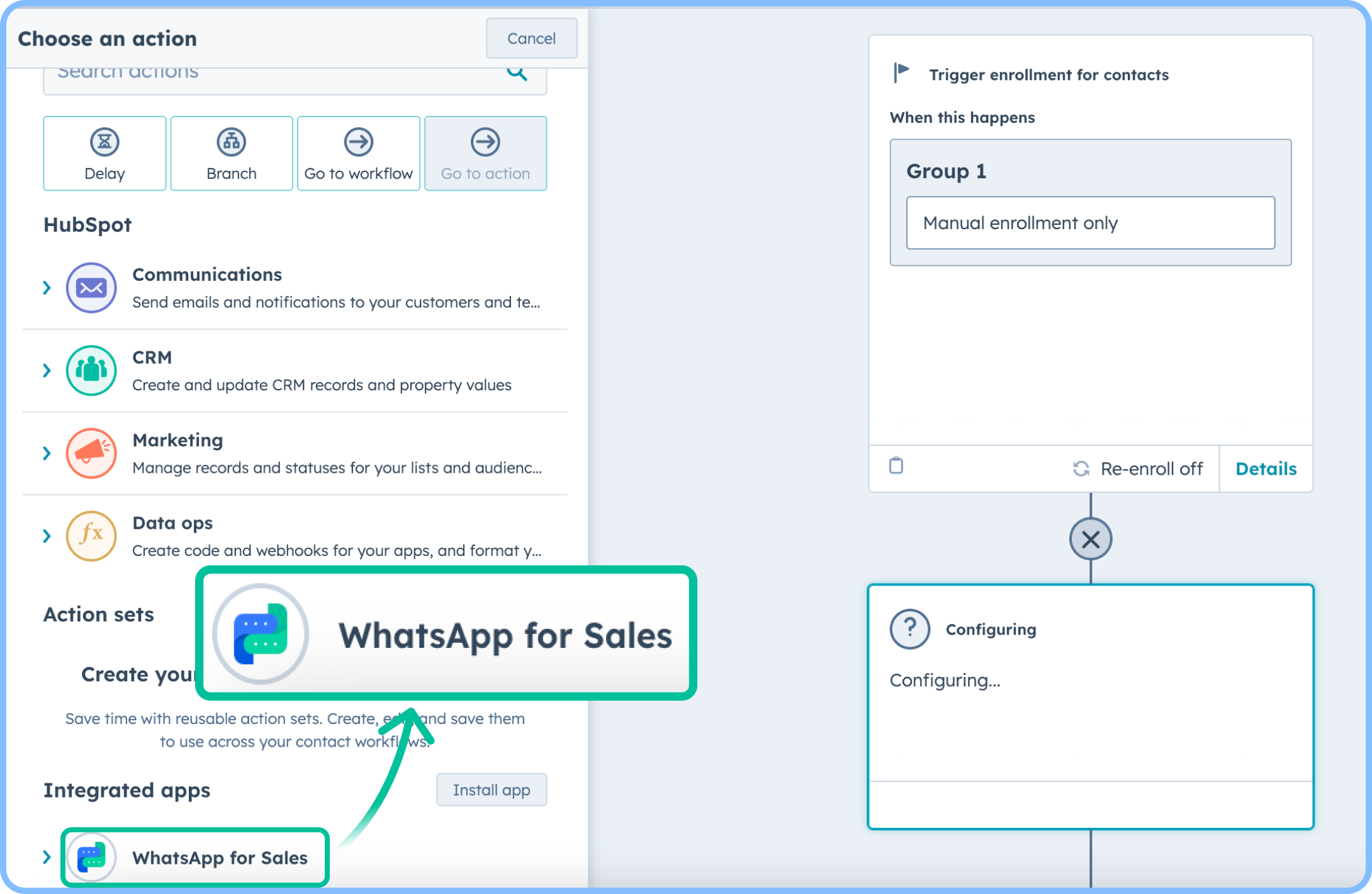 1. Click the `+` icon.
2. In the left panel, select **WhatsApp for sales**.
3. Choose from:
* **Send a proactive template message**.
* **Send a proactive bot template message**.
4. Select the WhatsApp channel, message template, and variable values.
* Make sure to add a **publicly accessible** URL to any media you have in your template headers.
* Receiver’s phone number **must** be a valid number on WhatsApp with the international code.
* Make sure to fill each template’s variables separated by commas.
* Please note: templates with variables in the URL buttons are not supported through HubSpot workflow actions.
1. Click the `+` icon.
2. In the left panel, select **WhatsApp for sales**.
3. Choose from:
* **Send a proactive template message**.
* **Send a proactive bot template message**.
4. Select the WhatsApp channel, message template, and variable values.
* Make sure to add a **publicly accessible** URL to any media you have in your template headers.
* Receiver’s phone number **must** be a valid number on WhatsApp with the international code.
* Make sure to fill each template’s variables separated by commas.
* Please note: templates with variables in the URL buttons are not supported through HubSpot workflow actions. 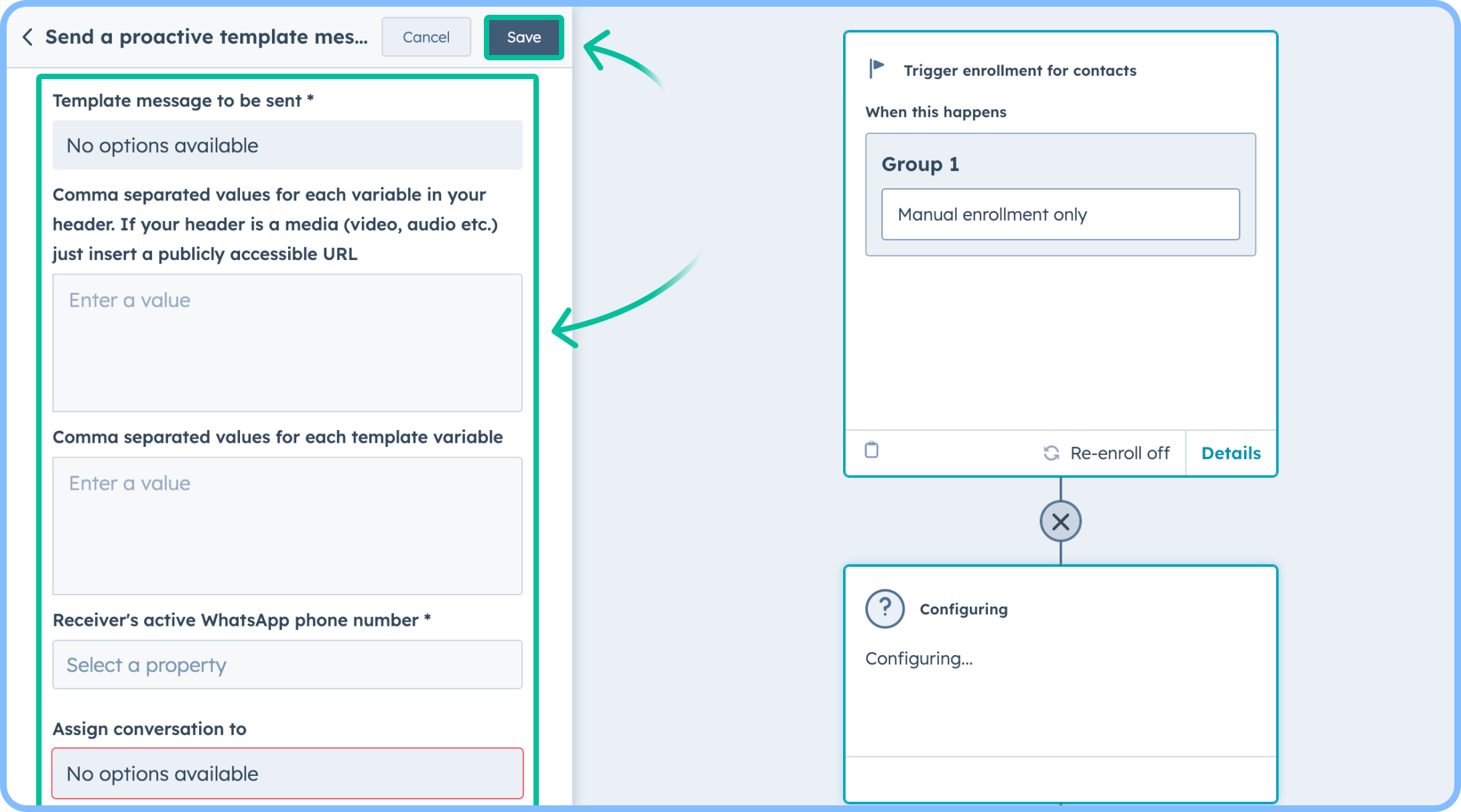 5. Assign the conversation to a team/user (only available for Send a proactive template message action)
6. Click **Save**.
### Turn on the workflow
1. Click **Review and Publish**.
2. Choose enrollment settings for contacts.
3. Click **Turn on workflow**.
[HubSpot actions in the chatbot builder](/en/automations/chatbots/chatbots-nodes)
5. Assign the conversation to a team/user (only available for Send a proactive template message action)
6. Click **Save**.
### Turn on the workflow
1. Click **Review and Publish**.
2. Choose enrollment settings for contacts.
3. Click **Turn on workflow**.
[HubSpot actions in the chatbot builder](/en/automations/chatbots/chatbots-nodes)