> ## Documentation Index
> Fetch the complete documentation index at: https://docs.rasayel.io/llms.txt
> Use this file to discover all available pages before exploring further.
# Properties
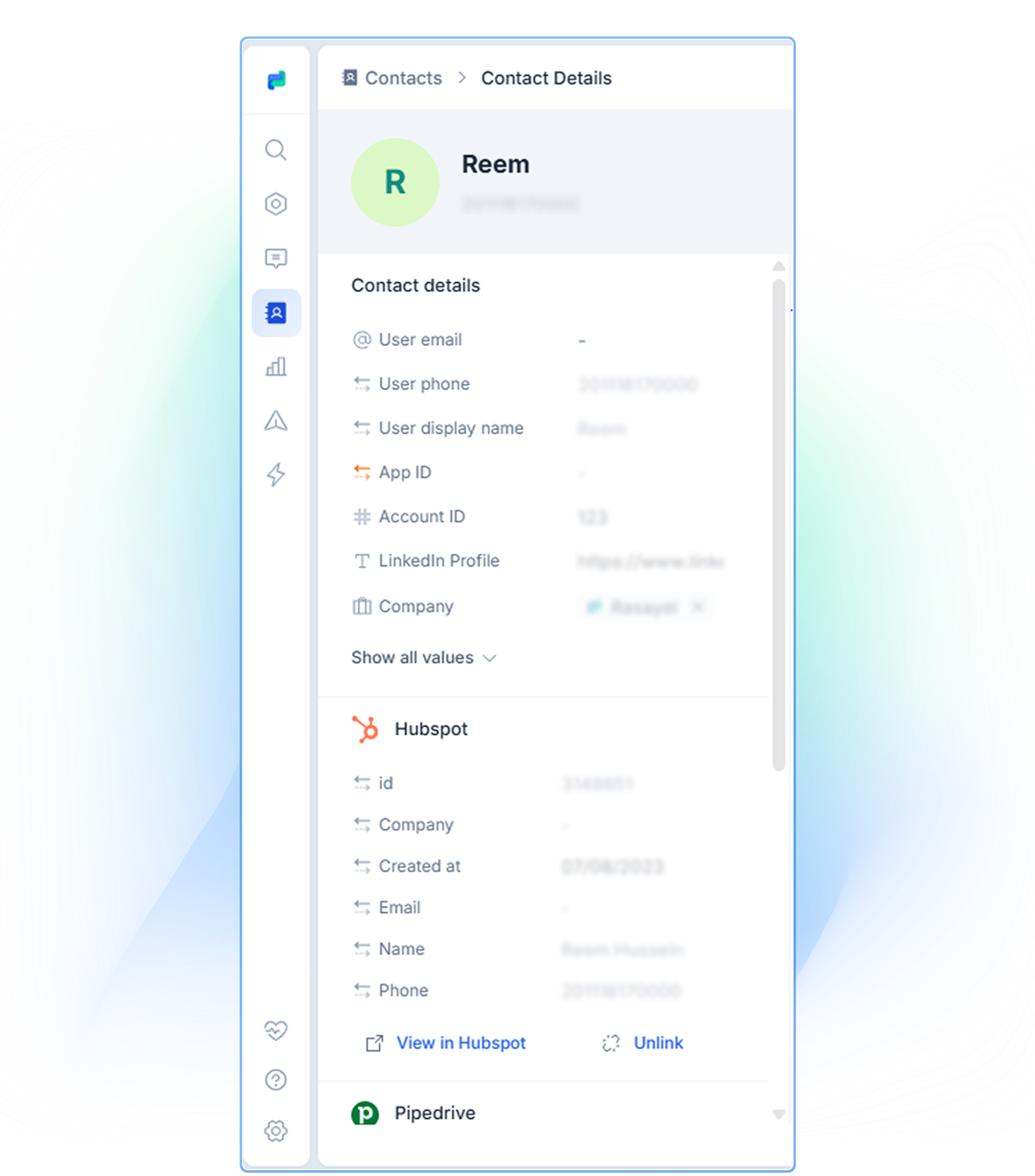
Properties allow you to attach useful information to your customers’ contact profiles in Rasayel. You can think of them like columns in a spreadsheet; each property or cell holds a specific piece of information about your customer.
Some properties are added automatically - when a customer messages you for the first time, for instance: a contact’s WhatsApp display name and phone number.
You can add any properties you’d like to a user. It can be email address, customer's real name, their LinkedIn profile, etc.
 ### Create a new property
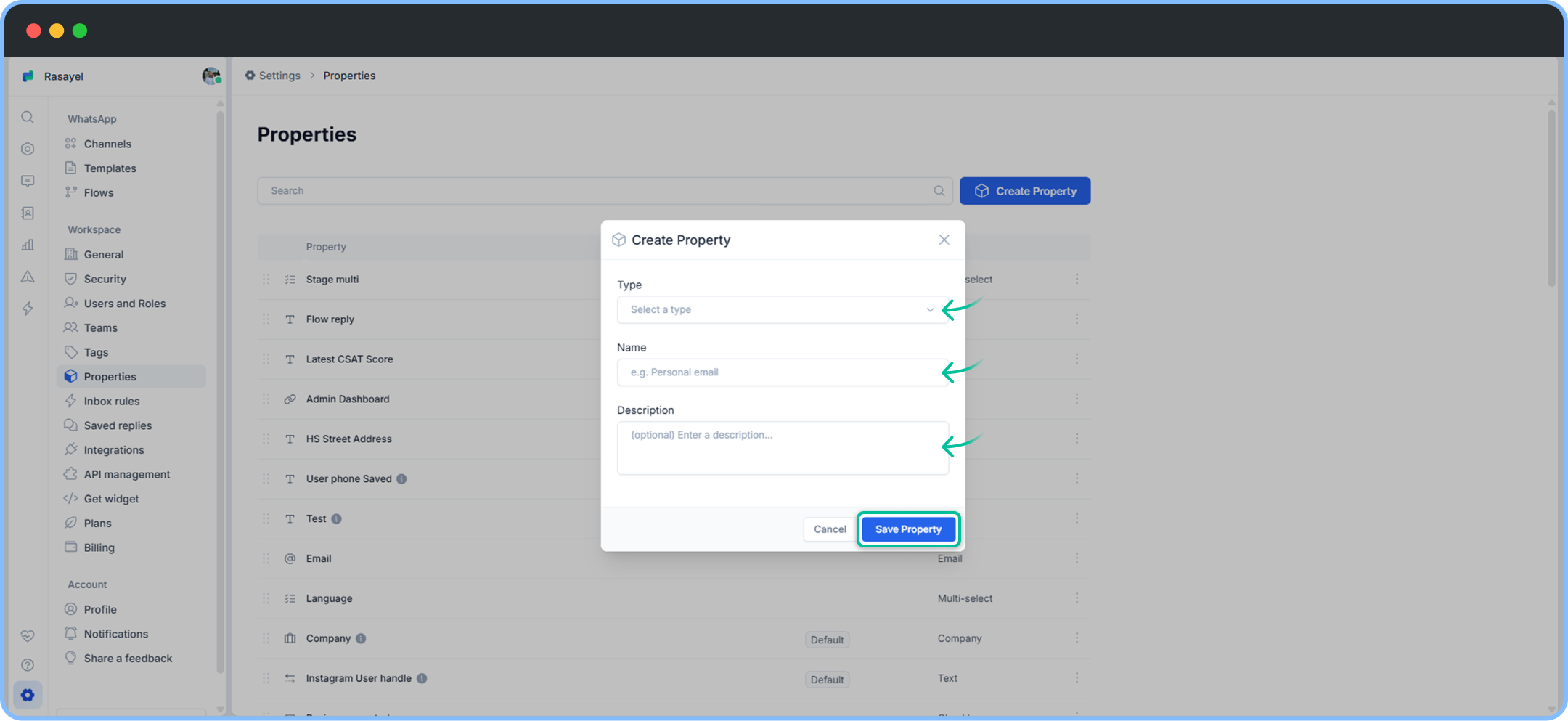
To create a new property, follow these steps:
1. Go to your **Settings**.
2. Click on **Properties.**
3. Click on **Create Property.**
4. Type property name (For example, country), property’s description and type (Text, Date, Number, Checkbox).
5. Click on **Save Property.**
### Create a new property
To create a new property, follow these steps:
1. Go to your **Settings**.
2. Click on **Properties.**
3. Click on **Create Property.**
4. Type property name (For example, country), property’s description and type (Text, Date, Number, Checkbox).
5. Click on **Save Property.**
 You can also sync properties between HubSpot and Rasayel ([guide](https://docs.rasayel.io/en/integrations/hubspot/hubspot-property-syncing)) as well as between Pipedrive and Rasayel ([guide](https://docs.rasayel.io/en/integrations/pipedrive/pipedrive-property-syncing)).
### Add a property to a specific contact
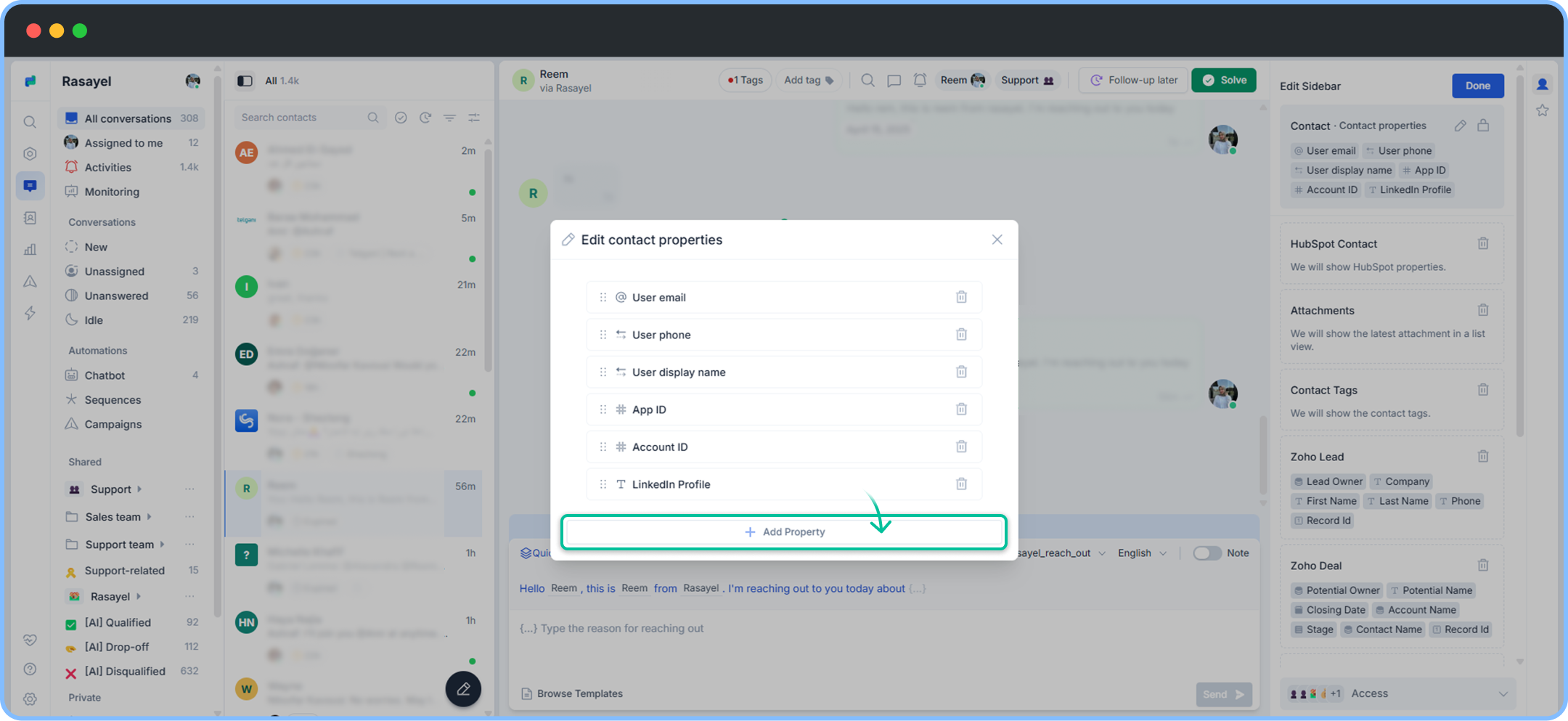
A customer’s properties appear on the right sidebar (contact’s sidebar), under **Contact icon**. Follow the steps below to add a property for a contact.
1. Go to your **Inbox**.
2. Select any **customer conversation**.
3. On the right side of the conversation, click on **Contact details (customer icon).**
4. Click on **Pencil Icon** **(customize sidebar).**
5. Click on **Contact Properties > pencil icon**
6. Click on **Add Property.**
You can also sync properties between HubSpot and Rasayel ([guide](https://docs.rasayel.io/en/integrations/hubspot/hubspot-property-syncing)) as well as between Pipedrive and Rasayel ([guide](https://docs.rasayel.io/en/integrations/pipedrive/pipedrive-property-syncing)).
### Add a property to a specific contact
A customer’s properties appear on the right sidebar (contact’s sidebar), under **Contact icon**. Follow the steps below to add a property for a contact.
1. Go to your **Inbox**.
2. Select any **customer conversation**.
3. On the right side of the conversation, click on **Contact details (customer icon).**
4. Click on **Pencil Icon** **(customize sidebar).**
5. Click on **Contact Properties > pencil icon**
6. Click on **Add Property.**
 How to add a property: