> ## Documentation Index
> Fetch the complete documentation index at: https://docs.rasayel.io/llms.txt
> Use this file to discover all available pages before exploring further.
# Flow variables
Flow variables are temporary values used within a specific flow. They can be set from user replies, WhatsApp flows, or API responses, and help guide the user’s journey by controlling logic inside that flow.
## Saving flow variables
You can save and use flow variables in different ways
### **User Reply node**:
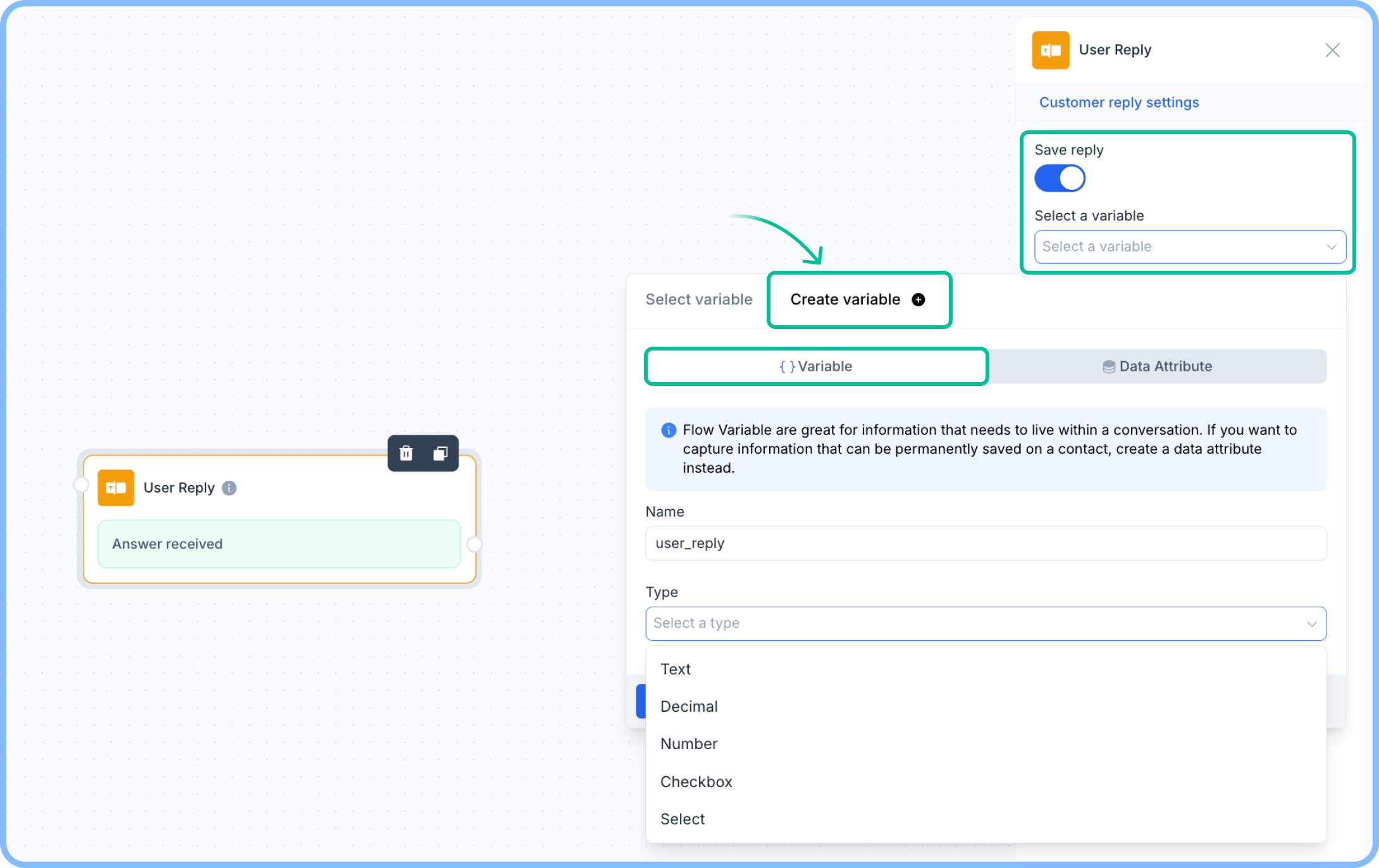
1. Add a **User Reply** node.
2. Click on **Save reply** in the node settings.
3. Select **a variable** to store the reply.
4. Choose to save it either as a **Rasayel property** or create a **flow variable**.
 ### **API Call node:**
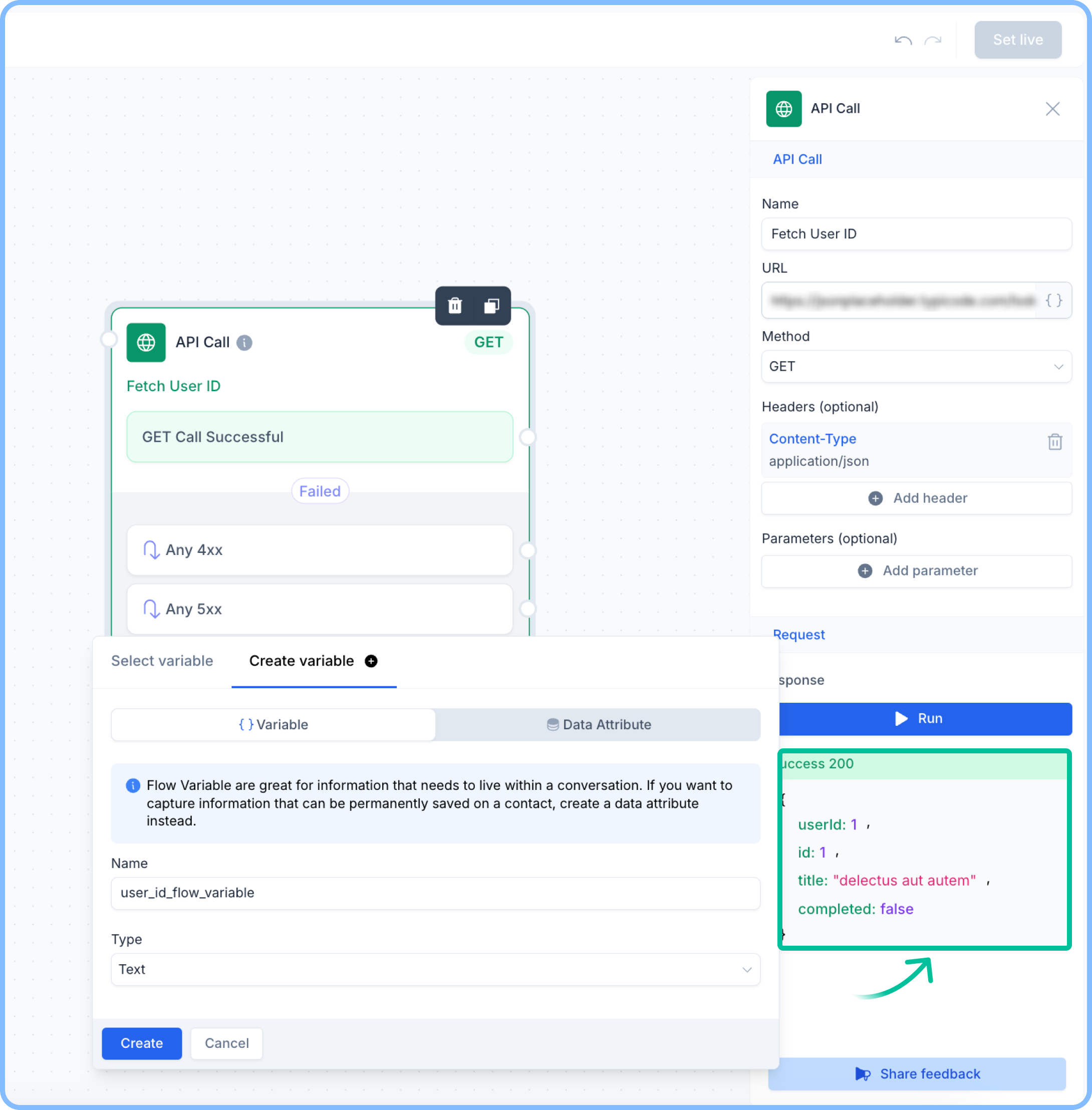
1. Make an API call within the flow.
2. Once it runs successfully, select any of the response fields.
3. Save the selected value as a flow variable to use later in the flow.
### **API Call node:**
1. Make an API call within the flow.
2. Once it runs successfully, select any of the response fields.
3. Save the selected value as a flow variable to use later in the flow.
 ## Using flow Variables
Once saved, flow variables can be used throughout the flow:
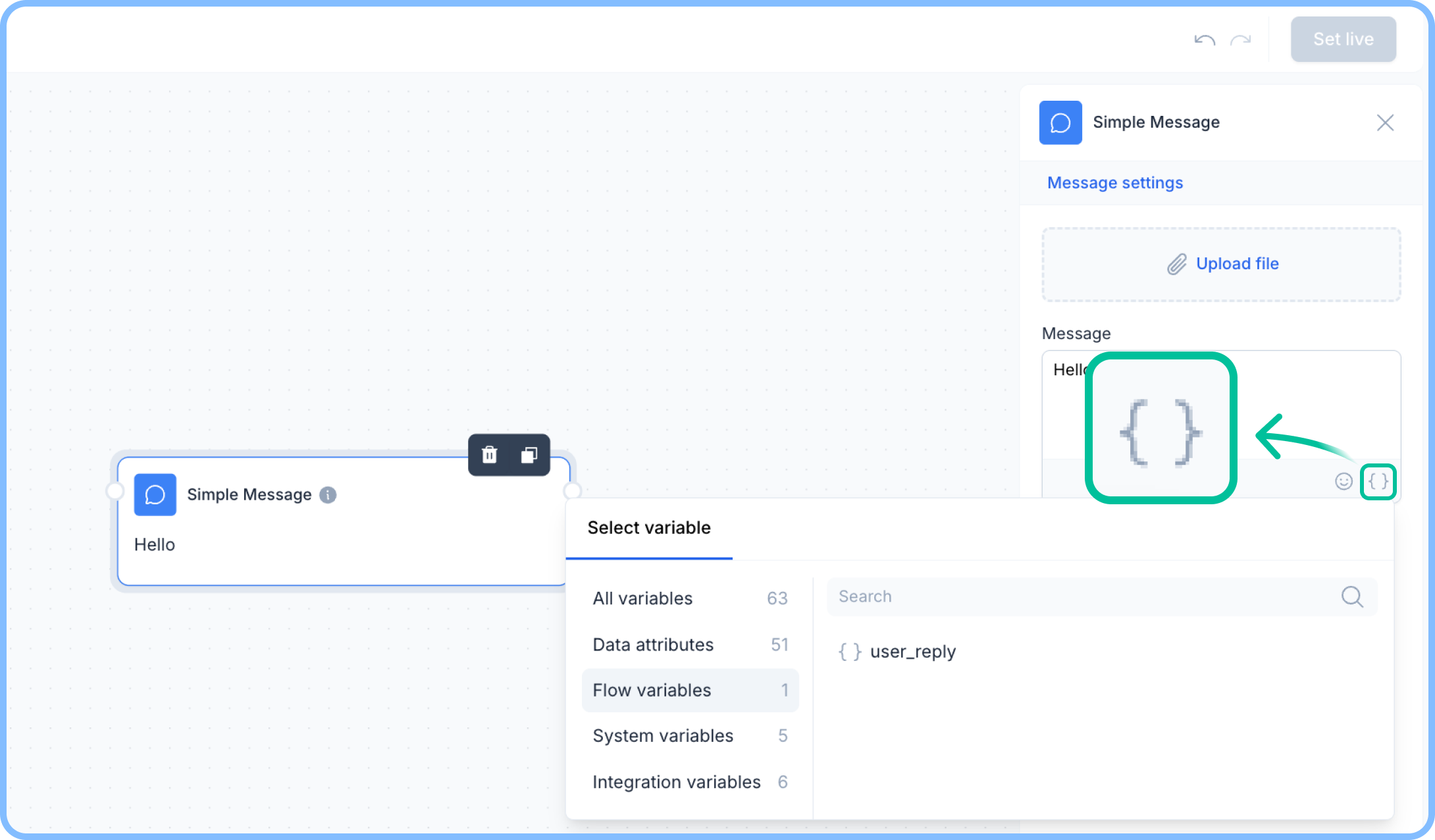
* Insert them into a **Simple Message** node to personalize responses.
* Use them in **Conditional** nodes to branch the flow based on user input.
* Store API responses and reuse them in different parts of the flow.
## Using flow Variables
Once saved, flow variables can be used throughout the flow:
* Insert them into a **Simple Message** node to personalize responses.
* Use them in **Conditional** nodes to branch the flow based on user input.
* Store API responses and reuse them in different parts of the flow.