> ## Documentation Index
> Fetch the complete documentation index at: https://docs.rasayel.io/llms.txt
> Use this file to discover all available pages before exploring further.
# Chatbot analytics
Analytics in Rasayel provide insights into bot performance, including version history. A **version** represents a period when a bot was live before being set to draft again. You can access Analytics by heading to [**Automations > Bots**](https://app.rasayel.io/automations/bots).
Click on your preferred **Bot > Analytics**: This shows the following analytics:
 * **Version History**: Tracks bot versions and the number of times each was executed.
* **Path Analytics**: Shows the percentage of users following different paths in the flow.
You can also view quick metrics for each chatbot from the chatbots page.
* **Version History**: Tracks bot versions and the number of times each was executed.
* **Path Analytics**: Shows the percentage of users following different paths in the flow.
You can also view quick metrics for each chatbot from the chatbots page.
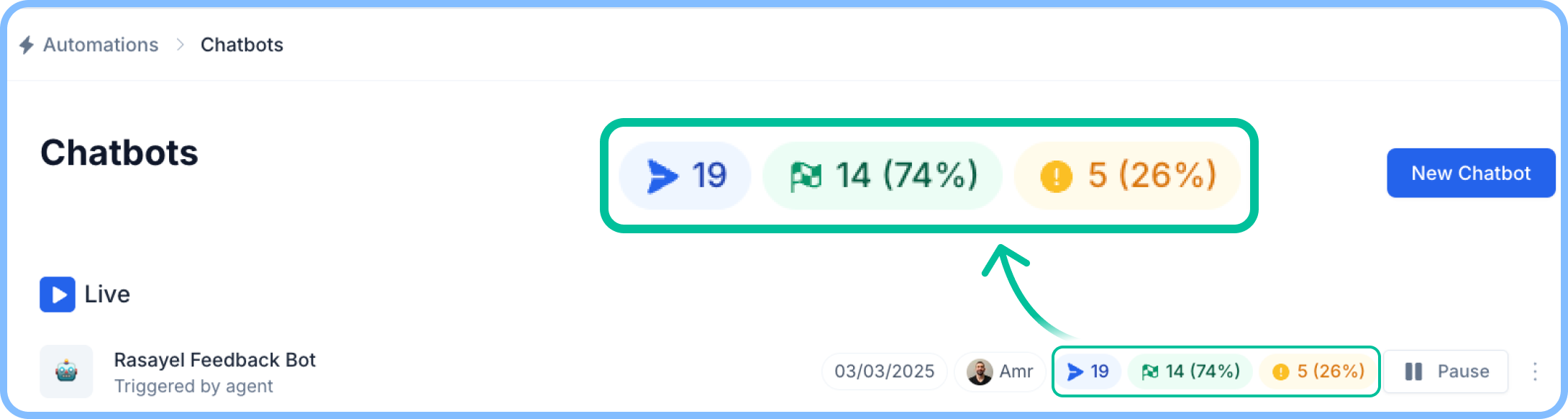 **Here, you will find the following insights each chatbot:**
* **Conversations Started**: Counts how many times the bot was triggered.
* **Completed Flows**: Displays the number and percentage of fully executed flows.
* **Interrupted Flows**: Tracks conversations that were abandoned before completion.
**Here, you will find the following insights each chatbot:**
* **Conversations Started**: Counts how many times the bot was triggered.
* **Completed Flows**: Displays the number and percentage of fully executed flows.
* **Interrupted Flows**: Tracks conversations that were abandoned before completion.